Building an AppSec Pipeline: SAST, DAST, and SCA in CI/CD

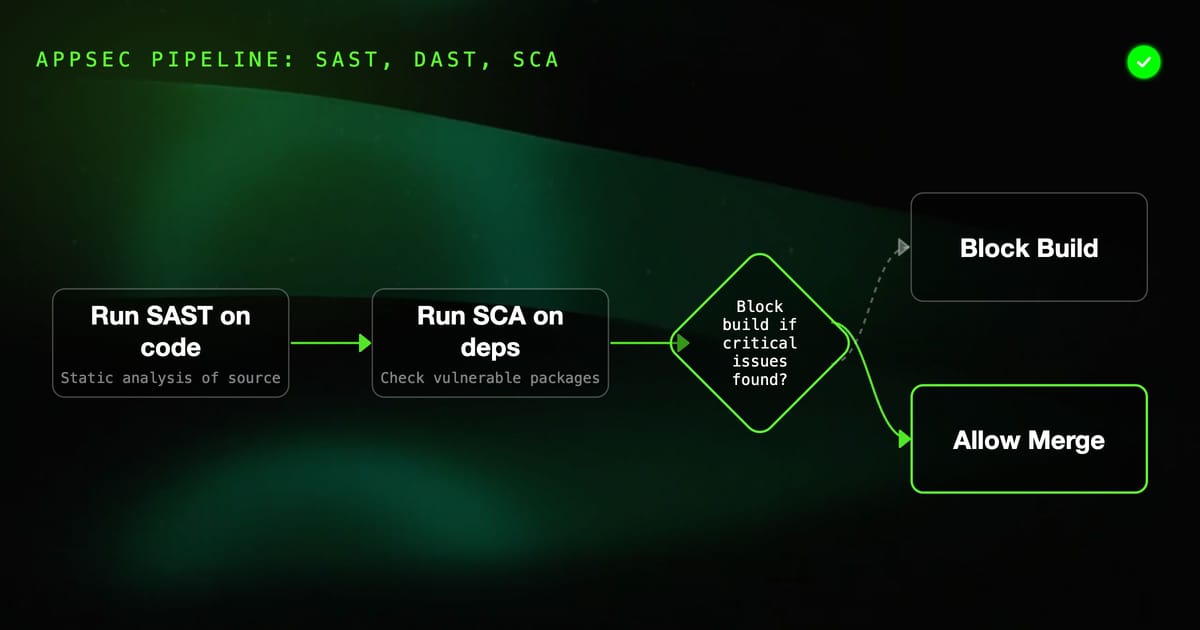
A complete AppSec pipeline combines three layers: SAST (static analysis of source code), SCA (vulnerable dependency scanning), and DAST (dynamic testing of the running app). Each layer catches different vulnerabilities. This guide shows you how to wire all three into a CI/CD pipeline, where to place each gate, and how to avoid blocking developers on noise.
The Three Layers of Application Security
No single tool catches everything. Security engineers who understand this use all three layers together:
┌─────────────────────────────────────────────────────────┐
│                    Developer Workflow                    │
│                                                         │
│  Code → PR → Merge → Build → Stage → Production        │
│                                                         │
│  SAST  ←─────┘                                         │
│  SCA   ←─────────────┘                                 │
│  DAST  ←─────────────────────────┘                     │
└─────────────────────────────────────────────────────────┘SAST (Static Application Security Testing): Analyzes source code without running it. Catches injection patterns, hardcoded secrets, insecure API usage. Runs fastest — seconds to minutes.
SCA (Software Composition Analysis): Scans dependency manifests for known CVEs. Catches vulnerable open-source packages. Runs in seconds.
DAST (Dynamic Application Security Testing): Attacks the running application. Catches authentication bypass, BOLA, runtime misconfigurations, issues SAST can't see. Runs slowest — minutes to hours.
Where Each Tool Fits in the Pipeline
On Every PR (Fast Gate, <5 minutes)
# These run on every pull request
- SAST: Semgrep or CodeQL on changed files only
- SCA: Snyk or Dependabot security alerts
- Secrets: gitleaks or truffleHog on diffThese must be fast. A 30-minute gate kills developer velocity. Scope SAST to changed files on PRs, run full scans on merge to main.
On Merge to Main (Medium Gate, 5-15 minutes)
# These run after merge, on the full codebase
- SAST: Full codebase scan (Semgrep + SpotBugs/Bandit)
- SCA: Full dependency tree scan (Snyk monitor)
- Container: Image vulnerability scan (Trivy)On Staging Deployment (Slow Gate, 15-60 minutes)
# These run against the live staging environment
- DAST: OWASP ZAP API scan
- DAST: Nuclei template scan
- Functional security tests: Auth bypass, BOLA checksDAST never runs on PRs — it requires a running environment. It runs after deploying to staging.
Complete GitHub Actions Pipeline
# .github/workflows/appsec.yml
name: AppSec Pipeline

on:
  pull_request:
    branches: [main, develop]
  push:
    branches: [main]

jobs:
  # ── LAYER 1: SECRETS ──────────────────────────────────────
  secrets-scan:
    name: Secrets Detection
    runs-on: ubuntu-latest
    steps:
      - uses: actions/checkout@v4
        with:
          fetch-depth: 0  # Full history for gitleaks

      - name: Gitleaks
        uses: gitleaks/gitleaks-action@v2
        env:
          GITHUB_TOKEN: ${{ secrets.GITHUB_TOKEN }}

  # ── LAYER 2: SCA ──────────────────────────────────────────
  sca:
    name: Dependency Scanning
    runs-on: ubuntu-latest
    steps:
      - uses: actions/checkout@v4

      - name: Snyk SCA
        uses: snyk/actions/node@master  # Change to python/java/etc
        env:
          SNYK_TOKEN: ${{ secrets.SNYK_TOKEN }}
        with:
          args: --severity-threshold=high --fail-on=upgradable

  # ── LAYER 3: SAST ──────────────────────────────────────────
  sast:
    name: Static Analysis
    runs-on: ubuntu-latest
    permissions:
      security-events: write
    steps:
      - uses: actions/checkout@v4

      - name: Semgrep
        uses: returntocorp/semgrep-action@v1
        with:
          config: >-
            p/python
            p/javascript
            p/secrets
            p/owasp-top-ten

      - name: CodeQL
        if: github.event_name == 'push'  # Only on merge (slow)
        uses: github/codeql-action/init@v3
        with:
          languages: javascript, python

      - name: CodeQL Analyze
        if: github.event_name == 'push'
        uses: github/codeql-action/analyze@v3

  # ── LAYER 4: CONTAINER ────────────────────────────────────
  container-scan:
    name: Container Security
    runs-on: ubuntu-latest
    if: github.event_name == 'push'  # After merge only
    steps:
      - uses: actions/checkout@v4

      - name: Build Image
        run: docker build -t myapp:${{ github.sha }} .

      - name: Trivy Vulnerability Scan
        uses: aquasecurity/trivy-action@master
        with:
          image-ref: myapp:${{ github.sha }}
          format: sarif
          output: trivy-results.sarif
          severity: HIGH,CRITICAL
          exit-code: '1'

      - name: Upload Trivy SARIF
        uses: github/codeql-action/upload-sarif@v3
        with:
          sarif_file: trivy-results.sarif

  # ── LAYER 5: DAST ──────────────────────────────────────────
  dast:
    name: Dynamic Security Testing
    runs-on: ubuntu-latest
    needs: [secrets-scan, sca, sast, container-scan]
    if: github.event_name == 'push'  # After merge + deploy to staging
    environment: staging
    steps:
      - uses: actions/checkout@v4

      - name: Deploy to Staging
        run: ./scripts/deploy.sh staging

      - name: Wait for Staging
        run: |
          timeout 120 bash -c \
            'until curl -sf ${{ vars.STAGING_URL }}/health; do sleep 5; done'

      - name: ZAP API Scan
        uses: zaproxy/action-api-scan@v0.9.0
        with:
          target: ${{ vars.STAGING_URL }}/openapi.json
          format: openapi
          fail_action: false
          cmd_options: '-J zap-report.json'

      - name: Nuclei CVE Scan
        uses: projectdiscovery/nuclei-action@main
        with:
          target: ${{ vars.STAGING_URL }}
          flags: "-tags api,auth,jwt -severity medium,high,critical"

      - name: Upload DAST Reports
        if: always()
        uses: actions/upload-artifact@v4
        with:
          name: dast-reports
          path: |
            zap-report.json
nuclei-output.jsonSecrets Scanning Setup
Secrets scanning is the highest-signal, lowest-noise check — real API keys committed to git are almost always critical findings.
gitleaks configuration (.gitleaks.toml):
[extend]
useDefault = true

[[rules]]
id = "custom-internal-api-key"
description = "Internal service API key"
regex = '''MYAPP_KEY_[A-Z0-9]{32}'''
tags = ["key", "custom"]

[allowlist]
description = "Test fixtures"
paths = [
  '''tests/fixtures/.*''',
  '''\.gitleaks\.toml'''
]
regexes = [
  '''EXAMPLE_KEY_[A-Z0-9]+'''
]Pre-commit hook (catch before push):
# Install pre-commit
pip install pre-commit

# .pre-commit-config.yaml
repos:
  - repo: https://github.com/gitleaks/gitleaks
    rev: v8.18.4
    hooks:
- id: gitleaksTrivy for Containers and IaC
Trivy is a single tool that scans containers, filesystems, SBOMs, and IaC configurations:
# Container scan
trivy image --severity HIGH,CRITICAL myapp:latest

# Filesystem scan (dependencies + secrets)
trivy fs --scanners vuln,secret,misconfig .

# IaC scan (Terraform, Kubernetes manifests)
trivy config ./infra/

# Generate SBOM
trivy image --format cyclonedx --output sbom.json myapp:latestIn CI, use the SARIF format to pipe findings into GitHub Security tab:
trivy image \
  --format sarif \
  --output trivy.sarif \
  --severity HIGH,CRITICAL \
myapp:$SHAPrioritizing Findings Across All Tools
With four tools running, you'll get hundreds of findings. Prioritize by:
Block the Build (Hard Fail)
- SAST: Critical/High severity findings on new code
- SCA: Known exploited vulnerabilities (CISA KEV list) with fix available
- Secrets: Any committed secret (zero tolerance)
- Container: Critical CVE with fix available
Warn, Don't Block (Soft Fail)
- SAST: Medium findings
- SCA: High CVEs without available fix
- DAST: Medium findings on staging
- Container: High CVEs without fix
Weekly Triage
- SAST: Low findings
- DAST: Low findings
- Container: Low/Medium CVEs
Never Alert On
- SCA: CVEs in transitive dependencies of test tools only
- DAST: False positives you've marked in rules file
- Findings in vendor/ or third_party/ directories
Quality Gates
Define gates per environment:
# PR Gate — must pass to merge
pr_gate:
  - no new secrets committed
  - no new critical/high SAST findings
  - no critical CVEs with available fix (CVSS ≥ 9.0)

# Staging Gate — must pass to promote to production
staging_gate:
  - all pr_gate conditions
  - DAST scan completed
  - no new critical DAST findings
  - container image scanned, no critical CVEs

# Production Gate — must pass before cutover
production_gate:
  - all staging_gate conditions
  - DAST baseline comparison clean (no regressions)
- SBOM generated and archivedSBOM as an Audit Trail
Generate a Software Bill of Materials on every release for supply chain compliance:
- name: Generate SBOM
  uses: anchore/sbom-action@v0
  with:
    image: myapp:${{ github.sha }}
    format: cyclonedx-json
    output-file: sbom-${{ github.sha }}.json

- name: Archive SBOM
  uses: actions/upload-artifact@v4
  with:
    name: sbom-${{ github.sha }}
    path: sbom-${{ github.sha }}.json
retention-days: 365Runtime Testing as the Final Layer
SAST, SCA, and DAST cover the security of your code and infrastructure. They don't cover whether your security controls work correctly — auth gates, permission checks, rate limiting, input validation.
That's where automated functional security testing fits. Use tools like HelpMeTest to run test scenarios that verify:
- Unauthenticated requests to protected endpoints return 401
- Low-privilege users can't access admin endpoints (403)
- Rate limiting triggers after N requests/minute
- Input validation rejects malformed payloads
These tests run after every deployment and catch regressions — when a code change accidentally removes an auth check that was in place.
Summary
| Layer | Tool Examples | When | What It Catches |
|---|---|---|---|
| Secrets | gitleaks, truffleHog | Every commit | Committed credentials |
| SCA | Snyk, Dependabot | Every PR | Vulnerable dependencies |
| SAST | Semgrep, CodeQL, SpotBugs | Every PR/merge | Code-level vulnerabilities |
| Container | Trivy, Grype | On merge | Image + IaC vulnerabilities |
| DAST | ZAP, Nuclei | After staging deploy | Runtime vulnerabilities |
| Functional | HelpMeTest, custom | After every deploy | Security control regressions |
Start with secrets scanning and SCA — they're zero-configuration and high-signal. Add SAST next. Add DAST once you have a stable staging environment. The layered approach means vulnerabilities caught at the earliest possible stage, where they're cheapest to fix.