Applitools Ultrafast Grid: Cross-Browser Visual Testing at Scale
Cross-browser visual testing traditionally means running your test suite once per browser/OS combination.

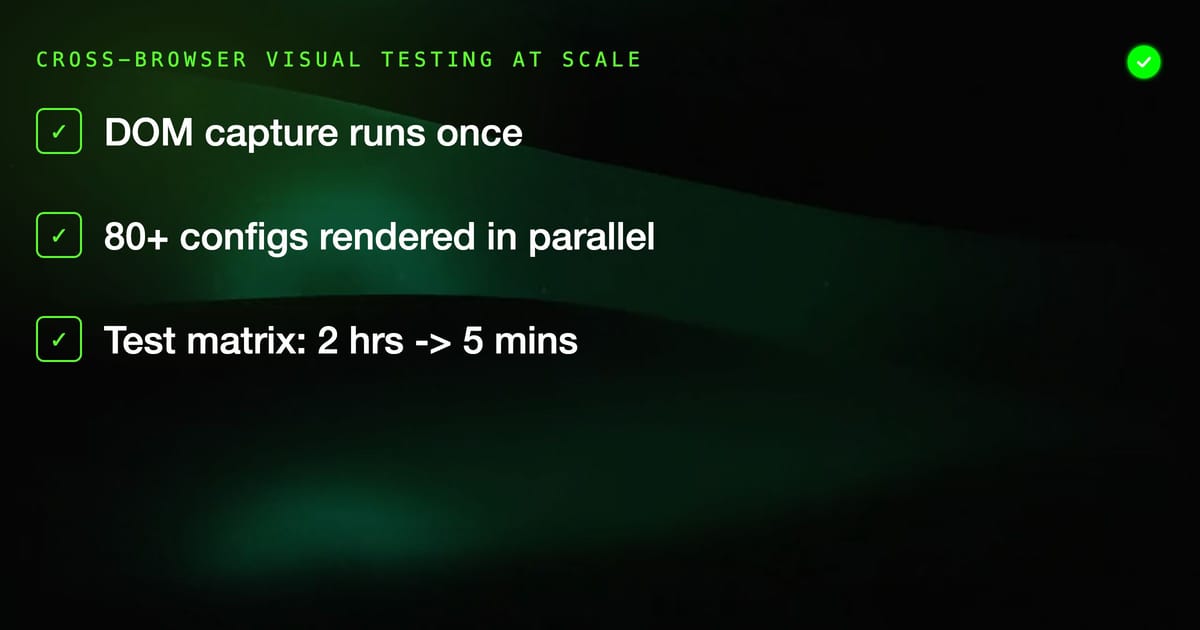
Cross-browser visual testing traditionally means running your test suite once per browser/OS combination. With 5 browsers × 3 OS × 4 viewport sizes, that's 60 sequential runs. Hours of execution for what should be a pre-deploy check.
Applitools Ultrafast Grid solves this by capturing the DOM once and rendering it across all your target configurations in parallel in the cloud.
How Ultrafast Grid Works
Standard visual testing flow:
- Run test in browser A → capture screenshot → compare
- Run test in browser B → capture screenshot → compare
- Repeat for every combination
Ultrafast Grid flow:
- Run test once in any browser → capture DOM + CSS + assets
- Ultrafast Grid renders the captured DOM across all configured browsers/viewports in parallel
- Screenshots for all configurations appear simultaneously
The DOM capture takes milliseconds. The cloud renders 80+ configurations at once. A test matrix that took 2 hours now takes 5 minutes.
Supported Configurations
Ultrafast Grid supports:
- Desktop browsers: Chrome, Firefox, Safari, Edge (multiple versions)
- Mobile viewports: iOS Safari, Chrome Mobile, simulated device sizes
- Viewport sizes: any combination of width × height
- Browser versions: current + historical versions for regression testing
You define the matrix in your test configuration, not by running tests repeatedly.
Setting Up the Ultrafast Grid
JavaScript (Playwright/WebdriverIO)
Install the SDK:
npm install @applitools/eyes-playwrightConfigure the browser matrix:
const { Eyes, Target, Configuration, BrowserType, DeviceName, ScreenOrientation, BatchInfo } = require('@applitools/eyes-playwright');

const config = new Configuration();
config.setApiKey(process.env.APPLITOOLS_API_KEY);
config.setBatch(new BatchInfo('Cross-browser suite'));
config.setForceFullPageScreenshot(true);

// Define the browser matrix
config.addBrowser(1200, 800, BrowserType.CHROME);
config.addBrowser(1200, 800, BrowserType.FIREFOX);
config.addBrowser(1200, 800, BrowserType.SAFARI);
config.addBrowser(1200, 800, BrowserType.EDGE_CHROMIUM);
config.addBrowser(768, 1024, BrowserType.CHROME);
config.addBrowser(375, 812, BrowserType.SAFARI);

// Mobile devices
config.addDeviceEmulation(DeviceName.iPhone_12, ScreenOrientation.PORTRAIT);
config.addDeviceEmulation(DeviceName.Pixel_5, ScreenOrientation.PORTRAIT);

const eyes = new Eyes(new VisualGridRunner(10), config);Java (Selenium)
import com.applitools.eyes.selenium.Eyes;
import com.applitools.eyes.selenium.Configuration;
import com.applitools.eyes.visualgrid.services.VisualGridRunner;
import com.applitools.eyes.visualgrid.model.*;

Configuration config = new Configuration();
config.setApiKey(System.getenv("APPLITOOLS_API_KEY"));
config.setBatch(new BatchInfo("Cross-browser suite"));

config.addBrowser(new DesktopBrowserInfo(1200, 800, BrowserType.CHROME));
config.addBrowser(new DesktopBrowserInfo(1200, 800, BrowserType.FIREFOX));
config.addBrowser(new DesktopBrowserInfo(1200, 800, BrowserType.SAFARI));
config.addDeviceEmulation(DeviceName.Pixel_5, ScreenOrientation.PORTRAIT);
config.addDeviceEmulation(DeviceName.iPhone_12, ScreenOrientation.PORTRAIT);

VisualGridRunner runner = new VisualGridRunner(new RunnerOptions().testConcurrency(10));
Eyes eyes = new Eyes(runner, config);Running a Cross-Browser Test
Once configured, the test code looks identical to single-browser visual tests:
describe('Cross-browser visual tests', () => {
  it('Homepage renders correctly everywhere', async () => {
    const page = await browser.newPage();

    await eyes.open(page, 'My App', 'Homepage');
    await page.goto('https://myapp.example.com');

    // This single checkpoint runs across all configured browsers
    await eyes.check('Homepage', Target.window().fully());

    await eyes.close();
  });
});One eyes.check() call generates screenshots for all browsers in your matrix simultaneously.
Concurrency Settings
The VisualGridRunner concurrency setting controls how many browser renders happen in parallel. Higher concurrency = faster results but higher cost:
// 10 concurrent renders
const runner = new VisualGridRunner(new RunnerOptions().testConcurrency(10));Your account plan determines the maximum concurrency available.
Reviewing Cross-Browser Results
In the Eyes dashboard, results are grouped by:
- Batch — one test run
- Test — one
eyes.open()toeyes.close()block - Browser/device — each configuration in your matrix
When a visual difference is found on Safari but not Chrome, you see exactly which configurations are affected. Approve or reject per configuration.
Handling Browser-Specific Differences
Some visual differences are expected across browsers — font rendering, scroll behavior, certain CSS properties. Applitools handles this through:
Baseline per configuration: Each browser/OS combination has its own baseline. A font rendering difference between Chrome and Firefox doesn't fail tests — each browser is compared to its own approved baseline.
Layout match level: Instead of exact pixel comparison, use layout mode to ignore cosmetic differences while catching structural ones:
await eyes.check('Page', Target.window().layout());Match levels:
STRICT— pixel-level comparison (default)LAYOUT— structural comparison, ignores colors and font detailsCONTENT— compares content, ignores styling entirelyIGNORE_COLORS— exact layout but ignores color changes
CI Integration
Add to your CI pipeline:
- name: Run cross-browser visual tests
  env:
    APPLITOOLS_API_KEY: ${{ secrets.APPLITOOLS_API_KEY }}
run: npx playwright test --config=visual.config.jsThe test run submits the DOM to Ultrafast Grid and returns quickly. The actual rendering happens asynchronously — results are available in the Eyes dashboard within minutes.
Cost Considerations
Ultrafast Grid pricing is based on checkpoints × configurations. A single eyes.check() across 8 browser/device configurations counts as 8 checkpoints. Review your usage in the Eyes dashboard to manage costs.
When to Use Ultrafast Grid
Use the Ultrafast Grid when you need to verify visual consistency across multiple browsers. If you only need to catch functional or layout regressions in a single browser, standard Eyes without the grid may be sufficient and cheaper.
Related:
- Applitools Eyes guide — core visual testing concepts
- Applitools vs Percy — comparing visual testing platforms
- Visual AI testing strategies — broader visual testing approach