
Applitools Eyes: Getting Started with AI-Powered Visual Testing
Applitools Eyes is a visual testing platform that uses AI to compare screenshots intelligently.

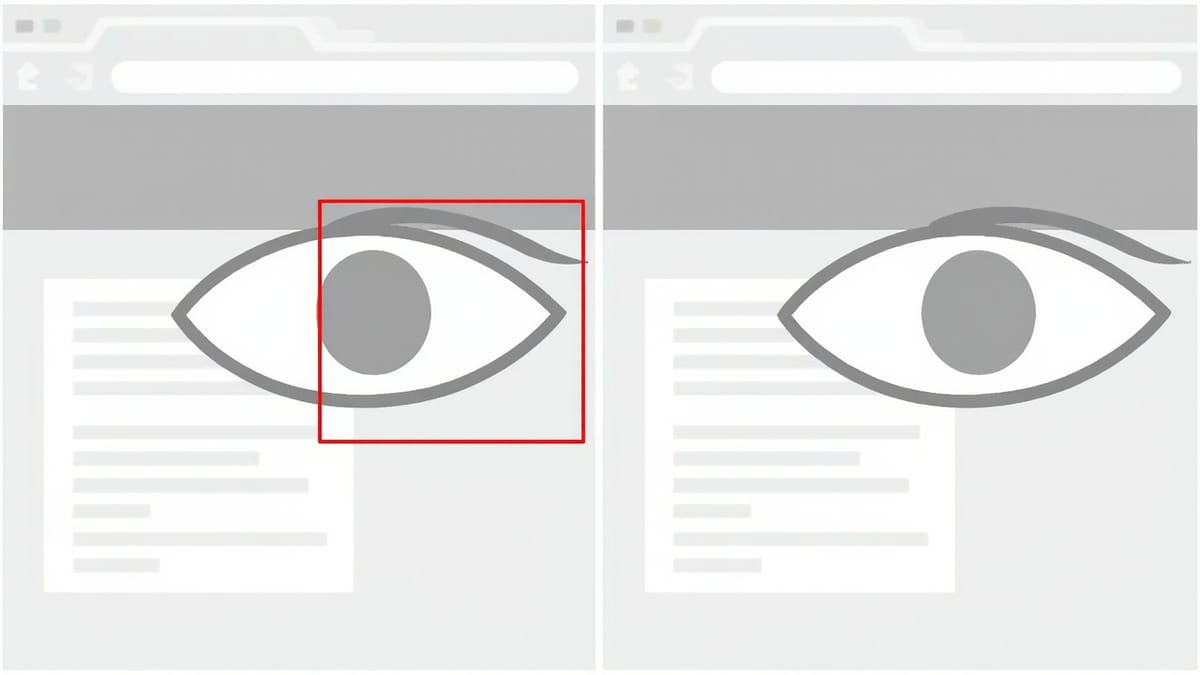
Applitools Eyes is a visual testing platform that uses AI to compare screenshots intelligently. Instead of pixel-by-pixel diffing (which generates noise from anti-aliasing and rendering differences), it uses a Visual AI model trained on millions of UI screenshots to distinguish real visual regressions from irrelevant rendering variations.
This guide covers setup with Selenium, Playwright, and Cypress, plus the Ultrafast Grid for cross-browser visual testing.
How Applitools Visual AI Differs from Pixel Diffing
Standard screenshot diffing compares pixels. A 1-pixel anti-aliasing difference on a button edge is flagged as a failure — even though no human would notice it.
Applitools Visual AI understands UI semantics. It knows that:
- A button that moved 1px due to font rendering isn't a regression
- A button that changed colour from blue to red is a regression
- Missing text in a heading is a regression
- Slightly different shadow opacity isn't a regression
This dramatically reduces false positives, which is the primary reason visual testing suites get disabled — too many false alarms.
Setup
Get an API key
Sign up at applitools.com and get your API key from the dashboard. Every SDK call needs this key.
export APPLITOOLS_API_KEY=your_api_key_hereChoose your SDK
Applitools provides SDKs for every major testing framework:
# Selenium Java (Maven)
# Add to pom.xml

# Playwright Node
npm install --save-dev @applitools/eyes-playwright

# Cypress
npm install --save-dev @applitools/eyes-cypress

# Selenium Python
pip install eyes-selenium

# WebdriverIO
npm install --save-dev @applitools/eyes-webdriverioGetting Started: Playwright SDK
The Playwright SDK is the most modern integration. Install it:
npm install --save-dev @applitools/eyes-playwright @playwright/testBasic test
// tests/visual/checkout.spec.js
import { test } from '@playwright/test';
import { Eyes, Target, Configuration, BatchInfo, BrowserType } from '@applitools/eyes-playwright';

const batch = new BatchInfo({ name: 'Checkout Flow Visual Tests' });

test.describe('Checkout Visual Tests', () => {
  let eyes;

  test.beforeEach(async ({ page }) => {
    eyes = new Eyes();
    const config = new Configuration();
    config.setBatch(batch);
    config.setApiKey(process.env.APPLITOOLS_API_KEY);
    eyes.setConfiguration(config);

    await eyes.open(page, 'My App', test.info().title, {
      width: 1280,
      height: 720
    });
  });

  test.afterEach(async () => {
    await eyes.closeAsync();
  });

  test('checkout form - empty state', async ({ page }) => {
    await page.goto('/checkout');
    await page.waitForLoadState('networkidle');

    // Check the full page
    await eyes.check('Checkout Form', Target.window().fully());
  });

  test('checkout form - shipping step', async ({ page }) => {
    await page.goto('/checkout');
    await page.fill('#name', 'Alice Smith');
    await page.fill('#address', '123 Main St');

    // Check just the form region
    await eyes.check('Shipping Step - Filled', Target.region(page.locator('.checkout-form')));
  });

  test('order confirmation page', async ({ page }) => {
    // Set up test order state via API
    await page.request.post('/api/test/create-order', {
      data: { orderId: 'TEST-001' }
    });

    await page.goto('/order/TEST-001/confirmation');
    await eyes.check('Order Confirmation', Target.window().fully());
  });
});Closing the batch and getting results
// In afterAll, close the batch to get final status
test.afterAll(async () => {
  const runner = new ClassicRunner(); // or VisualGridRunner
  const results = await runner.getAllTestResults(false);
  console.log(results.toString());
});Ultrafast Grid: Cross-Browser Visual Testing
The Ultrafast Grid is Applitools' rendering farm. Instead of running your tests in multiple browsers locally, you run them once and Percy renders the captured DOM in multiple browsers and screen sizes in parallel.
import {
  Eyes,
  Target,
  Configuration,
  BatchInfo,
  BrowserType,
  DeviceName,
  ScreenOrientation,
  VisualGridRunner
} from '@applitools/eyes-playwright';

// Use VisualGridRunner instead of ClassicRunner
const runner = new VisualGridRunner({ testConcurrency: 5 });

test.beforeEach(async ({ page }) => {
  eyes = new Eyes(runner);
  const config = new Configuration();
  config.setBatch(new BatchInfo({ name: 'Cross-Browser Suite' }));
  config.setApiKey(process.env.APPLITOOLS_API_KEY);

  // Configure browsers for the Ultrafast Grid
  config.addBrowser({ width: 1280, height: 800, name: BrowserType.CHROME });
  config.addBrowser({ width: 1280, height: 800, name: BrowserType.FIREFOX });
  config.addBrowser({ width: 1280, height: 800, name: BrowserType.SAFARI });
  config.addBrowser({ width: 1280, height: 800, name: BrowserType.EDGE_CHROMIUM });

  // Mobile devices
  config.addDeviceEmulation(DeviceName.iPhone_12, ScreenOrientation.PORTRAIT);
  config.addDeviceEmulation(DeviceName.Pixel_5, ScreenOrientation.PORTRAIT);
  config.addDeviceEmulation(DeviceName.iPad_Pro, ScreenOrientation.LANDSCAPE);

  eyes.setConfiguration(config);

  await eyes.open(page, 'My App', test.info().title);
});With this configuration, each eyes.check() call sends one snapshot to the Ultrafast Grid, which renders it across all 7 configurations in parallel. You test cross-browser appearance with the speed of a single-browser run.
Selenium Java Integration
// pom.xml dependency
<dependency>
  <groupId>com.applitools</groupId>
  <artifactId>eyes-selenium-java5</artifactId>
  <version>5.64.0</version>
  <scope>test</scope>
</dependency>import com.applitools.eyes.BatchInfo;
import com.applitools.eyes.RectangleSize;
import com.applitools.eyes.selenium.Eyes;
import com.applitools.eyes.selenium.fluent.Target;
import org.junit.jupiter.api.*;
import org.openqa.selenium.WebDriver;
import org.openqa.selenium.chrome.ChromeDriver;
class CheckoutVisualTest {
private static final BatchInfo BATCH = new BatchInfo("Checkout Visual Tests");
private Eyes eyes;
private WebDriver driver;
@BeforeEach
void setUp() {
driver = new ChromeDriver();
eyes = new Eyes();
eyes.setApiKey(System.getenv("APPLITOOLS_API_KEY"));
eyes.setBatch(BATCH);
eyes.open(
driver,
"My App", // app name
"Checkout Form", // test name
new RectangleSize(1280, 800)
);
}
@AfterEach
void tearDown() throws Exception {
eyes.closeAsync();
driver.quit();
}
@Test
void checkoutFormRendersCorrectly() {
driver.get("https://your-app.com/checkout");
// Full page screenshot
eyes.check("Checkout - Full Page", Target.window().fully());
}
@Test
void paymentSectionRendersCorrectly() {
driver.get("https://your-app.com/checkout/payment");
// Region-specific check
eyes.check(
"Payment Form",
Target.region(driver.findElement(By.cssSelector(".payment-section")))
);
}
}Cypress Integration
npm install --save-dev @applitools/eyes-cypress
npx eyes-setup # adds Eyes commands to Cypress support fileConfigure in cypress.config.js:
const { defineConfig } = require('cypress');

module.exports = defineConfig({
  e2e: {
    setupNodeEvents(on, config) {
      require('@applitools/eyes-cypress')(on);
      return config;
    }
  }
});Use in tests:
describe('Homepage Visual Tests', () => {
  beforeEach(() => {
    cy.eyesOpen({
      appName: 'My App',
      testName: Cypress.currentTest.title,
      browser: [
        { width: 1280, height: 800, name: 'chrome' },
        { width: 375, height: 812, name: 'chrome' },
      ]
    });
  });

  afterEach(() => {
    cy.eyesClose();
  });

  it('hero section renders correctly', () => {
    cy.visit('/');
    cy.get('.hero').should('be.visible');
    cy.eyesCheckWindow({
      tag: 'Homepage - Hero',
      target: 'region',
      selector: '.hero'
    });
  });

  it('navigation renders correctly', () => {
    cy.visit('/');
    cy.eyesCheckWindow({
      tag: 'Navigation Bar',
      target: 'region',
      selector: 'nav'
    });
  });
});Match Levels
Applitools provides different sensitivity levels for comparison:
import { MatchLevel } from '@applitools/eyes-playwright';

// Strict — pixel-level differences matter (for images, icons)
await eyes.check('Logo', Target.region(logoLocator).matchLevel(MatchLevel.Strict));

// Content — layout differences matter, text changes matter, style changes don't
await eyes.check('Article', Target.region(articleLocator).matchLevel(MatchLevel.Content));

// Layout — structural changes matter, content changes don't (for CMS content)
await eyes.check('Page Structure', Target.window().matchLevel(MatchLevel.Layout));

// Exact — byte-for-byte identical (rarely useful)
await eyes.check('Reference Image', Target.image('reference.png').matchLevel(MatchLevel.Exact));Use Layout match level for pages where the content changes legitimately (news feeds, user-generated content) but the structure should stay the same.
Baseline Management
Accepting baselines
On the first run, Applitools creates baselines automatically. Subsequent runs compare against these baselines.
In the Applitools dashboard:
- Click "Unreviewed" to see new diffs
- Click thumbs up to accept as new baseline
- Click thumbs down to reject (test will fail in CI)
- Use "Accept All" for bulk-accepting expected changes
Ignoring regions
Some regions contain dynamic content that will always differ:
await eyes.check('Dashboard', Target.window()
  .ignore(By.css('.live-clock'))
  .ignore(By.css('.ad-banner'))
  .ignore(By.css('.user-avatar'))
  .fully()
);Floating regions
For elements that can move within bounds:
await eyes.check('Header', Target.window()
  .floating(By.css('.notification-badge'), 5, 5, 5, 5) // max 5px deviation in each direction
);GitHub Actions CI
name: Visual Tests

on: [push, pull_request]

jobs:
  applitools-visual:
    runs-on: ubuntu-latest

    steps:
      - uses: actions/checkout@v4

      - name: Setup Node.js
        uses: actions/setup-node@v4
        with:
          node-version: "20"

      - name: Install dependencies
        run: npm ci

      - name: Install Playwright
        run: npx playwright install chromium

      - name: Run Applitools visual tests
        run: npx playwright test tests/visual/
        env:
          APPLITOOLS_API_KEY: ${{ secrets.APPLITOOLS_API_KEY }}
          # Ultrafast Grid concurrency
APPLITOOLS_CONCURRENCY: 5Applitools integrates with GitHub's status checks API. Failed visual tests block merges; approved tests auto-pass.
Cost Considerations
Applitools pricing is checkpoint-based. Each eyes.check() call is one checkpoint. With the Ultrafast Grid, each browser/device combination multiplies the count.
Optimise costs:
- Use
Target.region()for targeted checks rather than always capturing full pages - Group related checks in one test (one
eyes.open()/eyes.close()pair) - Use Layout match level for high-churn content to reduce noise and re-baselines
- Separate visual tests from functional tests so you can run them independently
When to Use Applitools
Applitools is best suited for:
- Teams maintaining design systems across many components
- Multi-browser visual consistency requirements
- Applications with complex layouts (data grids, dashboards, reports)
- Enterprises that need audit trails of visual approvals
If you have a small application and just need basic screenshot comparison, a simpler tool (Percy, Chromatic, or even Playwright's built-in screenshot + image comparison) may be sufficient.
For AI-powered visual testing with extensive cross-browser coverage and smart noise reduction, Applitools is the industry leader.
