
Appium with Python: Mobile Test Automation Using pytest
Python is one of the most popular languages for test automation, and Appium has a first-class Python client.

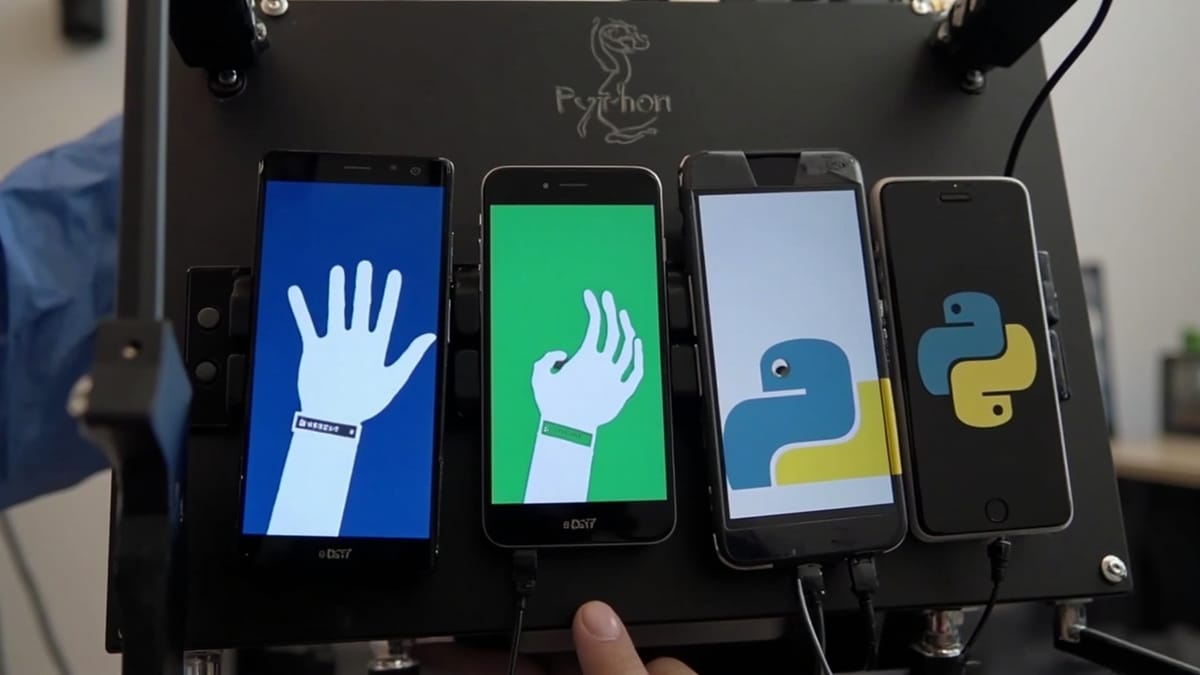
Python is one of the most popular languages for test automation, and Appium has a first-class Python client. If your team already writes API tests or browser tests in Python, you can extend that work to mobile apps with the same tools and patterns.
This guide covers Appium with Python from installation through a complete test suite with pytest.
What You Need
- Python 3.9+
- Appium server installed and running (
npm install -g appium) - UiAutomator2 driver for Android:
appium driver install uiautomator2 - XCUITest driver for iOS:
appium driver install xcuitest - Android Studio + SDK (for Android testing)
- Xcode 14+ (for iOS testing, macOS only)
Verify your setup with appium-doctor:
npm install -g appium-doctor
appium-doctor --androidInstalling the Python Client
The official Appium Python client is Appium-Python-Client:
pip install Appium-Python-Client pytestThis installs both the Appium client and Selenium (which it extends). You get the full Selenium WebDriver API plus mobile-specific extensions.
Basic Test Structure
Here's a minimal Appium test for an Android app:
import pytest
from appium import webdriver
from appium.options import UiAutomator2Options
from appium.webdriver.common.appiumby import AppiumBy

@pytest.fixture(scope="session")
def driver():
    options = UiAutomator2Options()
    options.platform_name = "Android"
    options.device_name = "Pixel_4_API_30"
    options.app = "/path/to/your/app.apk"
    options.no_reset = True

    driver = webdriver.Remote("http://localhost:4723", options=options)
    yield driver
    driver.quit()


def test_app_launches(driver):
    # Verify the app launched by checking for a known element
    el = driver.find_element(AppiumBy.ACCESSIBILITY_ID, "welcomeMessage")
assert el.is_displayed()Run it:
# Start Appium first
appium --port 4723 &

# Run tests
pytest test_basic.py -vElement Locators
Appium Python uses AppiumBy for locator strategies:
from appium.webdriver.common.appiumby import AppiumBy

# Accessibility ID (works on both Android and iOS)
el = driver.find_element(AppiumBy.ACCESSIBILITY_ID, "submitButton")

# XPath
el = driver.find_element(AppiumBy.XPATH, '//android.widget.Button[@text="Login"]')

# Android UiAutomator
el = driver.find_element(AppiumBy.ANDROID_UIAUTOMATOR,
    'new UiSelector().text("Login")')

# iOS NSPredicate
el = driver.find_element(AppiumBy.IOS_PREDICATE, 'label == "Login"')

# iOS Class Chain (faster than XPath)
el = driver.find_element(AppiumBy.IOS_CLASS_CHAIN,
    '**/XCUIElementTypeButton[`label == "Login"`]')

# Resource ID (Android)
el = driver.find_element(AppiumBy.ID, "com.example.app:id/login_button")Find multiple elements:
items = driver.find_elements(AppiumBy.CLASS_NAME, "android.widget.TextView")
texts = [item.text for item in items]
print(texts) # ['Item 1', 'Item 2', 'Item 3']Conftest and Fixtures
Organize your fixtures in conftest.py for reuse across test files:
# conftest.py
import pytest
from appium import webdriver
from appium.options import UiAutomator2Options, XCUITestOptions
import os

def android_options():
    options = UiAutomator2Options()
    options.platform_name = "Android"
    options.device_name = os.environ.get("ANDROID_DEVICE", "emulator-5554")
    options.app = os.environ.get("ANDROID_APP_PATH", "app/build/app-debug.apk")
    options.no_reset = True
    options.new_command_timeout = 300
    return options

def ios_options():
    options = XCUITestOptions()
    options.platform_name = "iOS"
    options.device_name = os.environ.get("IOS_DEVICE", "iPhone 14")
    options.platform_version = "16.4"
    options.app = os.environ.get("IOS_APP_PATH", "build/MyApp.app")
    options.no_reset = True
    return options

@pytest.fixture(scope="session")
def driver():
    platform = os.environ.get("PLATFORM", "android").lower()
    options = android_options() if platform == "android" else ios_options()

    d = webdriver.Remote("http://localhost:4723", options=options)
    yield d
d.quit()Run for Android or iOS:
PLATFORM=android pytest tests/
PLATFORM=ios pytest tests/Page Object Model
For maintainable tests, wrap screens in page objects:
# pages/login_page.py
from appium.webdriver.common.appiumby import AppiumBy
from selenium.webdriver.support.ui import WebDriverWait
from selenium.webdriver.support import expected_conditions as EC


class LoginPage:
    def __init__(self, driver):
        self.driver = driver
        self.wait = WebDriverWait(driver, 15)

    def enter_email(self, email: str):
        el = self.wait.until(
            EC.presence_of_element_located((AppiumBy.ACCESSIBILITY_ID, "emailField"))
        )
        el.clear()
        el.send_keys(email)
        return self

    def enter_password(self, password: str):
        el = self.wait.until(
            EC.presence_of_element_located((AppiumBy.ACCESSIBILITY_ID, "passwordField"))
        )
        el.clear()
        el.send_keys(password)
        return self

    def tap_login(self):
        btn = self.wait.until(
            EC.element_to_be_clickable((AppiumBy.ACCESSIBILITY_ID, "loginButton"))
        )
        btn.click()
        return self

    def get_error_message(self) -> str:
        el = self.wait.until(
            EC.visibility_of_element_located((AppiumBy.ACCESSIBILITY_ID, "errorMessage"))
        )
return el.text# pages/home_page.py
from appium.webdriver.common.appiumby import AppiumBy
from selenium.webdriver.support.ui import WebDriverWait
from selenium.webdriver.support import expected_conditions as EC
class HomePage:
def __init__(self, driver):
self.driver = driver
self.wait = WebDriverWait(driver, 15)
def is_displayed(self) -> bool:
try:
el = self.wait.until(
EC.presence_of_element_located((AppiumBy.ACCESSIBILITY_ID, "homeScreen"))
)
return el.is_displayed()
except Exception:
return False
def get_welcome_text(self) -> str:
el = self.wait.until(
EC.visibility_of_element_located((AppiumBy.ACCESSIBILITY_ID, "welcomeText"))
)
return el.textTests become readable:
# tests/test_login.py
from pages.login_page import LoginPage
from pages.home_page import HomePage


def test_successful_login(driver):
    login = LoginPage(driver)
    login.enter_email("user@example.com").enter_password("password123").tap_login()

    home = HomePage(driver)
    assert home.is_displayed(), "Home screen did not appear after login"


def test_invalid_login_shows_error(driver):
    login = LoginPage(driver)
    login.enter_email("bad@example.com").enter_password("wrongpass").tap_login()

    error = login.get_error_message()
    assert "Invalid" in error, f"Expected error message, got: {error}"


def test_empty_email_shows_validation(driver):
    login = LoginPage(driver)
    login.enter_password("password123").tap_login()

    error = login.get_error_message()
assert "email" in error.lower()Gestures with Python
Use driver.execute_script for mobile-specific gestures:
# Scroll down
driver.execute_script("mobile: scroll", {"direction": "down"})

# Swipe left on an element
element = driver.find_element(AppiumBy.ACCESSIBILITY_ID, "cardItem")
driver.execute_script("mobile: swipe", {
    "direction": "left",
    "element": element.id,
})

# Long press
driver.execute_script("mobile: longClickGesture", {
    "element": element.id,
    "duration": 2000,
})

# Tap by coordinates
driver.execute_script("mobile: tap", {"x": 200, "y": 400})

# Pinch
driver.execute_script("mobile: pinchOpenGesture", {
    "elementId": map_element.id,
    "scale": 2.0,
    "velocity": 1.5,
})Waiting for Elements
Never use time.sleep() in Appium tests. Use explicit waits:
from selenium.webdriver.support.ui import WebDriverWait
from selenium.webdriver.support import expected_conditions as EC

wait = WebDriverWait(driver, timeout=15)

# Wait for element to be visible
el = wait.until(
    EC.visibility_of_element_located((AppiumBy.ACCESSIBILITY_ID, "dashboard"))
)

# Wait for element to disappear
wait.until(
    EC.invisibility_of_element_located((AppiumBy.ACCESSIBILITY_ID, "loadingSpinner"))
)

# Wait with custom condition
def items_loaded(d):
    items = d.find_elements(AppiumBy.CLASS_NAME, "android.widget.ListView")
    return len(items) > 0

wait.until(items_loaded)Screenshots and Debugging
Take screenshots when tests fail:
# conftest.py
import pytest
import os
from datetime import datetime

@pytest.hookimpl(tryfirst=True, hookwrapper=True)
def pytest_runtest_makereport(item, call):
    outcome = yield
    rep = outcome.get_result()

    if rep.when == "call" and rep.failed:
        driver = item.funcargs.get("driver")
        if driver:
            timestamp = datetime.now().strftime("%Y%m%d_%H%M%S")
            screenshot_path = f"screenshots/{item.name}_{timestamp}.png"
            os.makedirs("screenshots", exist_ok=True)
            driver.save_screenshot(screenshot_path)
print(f"\nScreenshot saved: {screenshot_path}")Get the page source for debugging:
# Print current UI hierarchy
print(driver.page_source)

# Get current activity (Android)
print(driver.current_activity)

# Get current package
print(driver.current_package)Handling App State
Reset app state between tests without starting a new session:
# Reset app (clears data)
driver.reset()

# Terminate and relaunch
driver.terminate_app("com.example.myapp")
driver.activate_app("com.example.myapp")

# Background the app for 3 seconds
driver.background_app(3)

# Push file to device (Android)
with open("test_data.json", "rb") as f:
driver.push_file("/sdcard/test_data.json", f.read())Running in CI with pytest-xdist
Parallelize tests across multiple devices:
pip install pytest-xdist

# Run on 2 devices simultaneously
pytest tests/ -n 2Configure different capabilities per worker:
# conftest.py
import pytest

DEVICES = [
    {"deviceName": "Pixel_4_API_30", "udid": "emulator-5554"},
    {"deviceName": "Pixel_6_API_32", "udid": "emulator-5556"},
]

@pytest.fixture(scope="session")
def driver(worker_id):
    index = int(worker_id.replace("gw", "")) if worker_id != "master" else 0
    device = DEVICES[index % len(DEVICES)]
# ... create driver with device configMonitoring Production After Tests Pass
Your Appium test suite catches regressions before release. But mobile apps also need monitoring after users have them. Flows that pass in your emulator can fail on real devices due to OS differences, network conditions, or backend changes.
HelpMeTest runs scheduled end-to-end checks against your live app and alerts you when flows break — no device farm to manage. It works alongside your existing pytest suite, not instead of it.
Summary
- Client:
pip install Appium-Python-Client pytest - Options: Use
UiAutomator2Optionsfor Android,XCUITestOptionsfor iOS - Locators: Prefer
AppiumBy.ACCESSIBILITY_IDfor cross-platform compatibility - Structure: Use Page Object Model — it pays off fast on mobile where UIs change often
- Waits:
WebDriverWait+expected_conditions— nevertime.sleep() - Gestures:
driver.execute_script("mobile: scroll", ...)for swipe, scroll, long press
Python and Appium is a productive combination, especially if your team already has Python expertise in testing. The Page Object Model makes test maintenance manageable as your app evolves.

