Appium on Device Farms: BrowserStack, Sauce Labs, and AWS Device Farm

Simulators and emulators catch most bugs, but some issues — memory pressure, thermal throttling, hardware-specific rendering, carrier network behavior — only appear on real devices. Device farms give you access to hundreds of real iOS and Android devices without maintaining physical hardware.
This guide covers running Appium tests on the three major device farms: BrowserStack, Sauce Labs, and AWS Device Farm.
Why Device Farms Over Local Devices
Coverage: A single developer has maybe 2-3 devices. Device farms provide hundreds of device/OS combinations. Fragmentation testing (finding the Samsung Galaxy S22 specific bug) requires this.
Parallelism: Run tests against 10 devices simultaneously. A test suite that takes 2 hours sequentially runs in 20 minutes.
Maintenance: No managing device updates, enrollment certificates, broken USB cables, or devices that need rebooting.
Historical records: Test reports, videos, logs, and screenshots stored for debugging even days later.
The tradeoff: cost ($400-2000+/month depending on concurrency) and network latency (commands are slower than local).
BrowserStack App Automate
Setup and App Upload
# Upload your app
curl -u "username:access_key" \
  -X POST "https://api-cloud.browserstack.com/app-automate/upload" \
  -F "file=@./apps/MyApp.apk" \
-F "custom_id=MyApp"Response:
{
  "app_url": "bs://abc123def456...",
  "custom_id": "MyApp",
  "shareable_id": "username/MyApp"
}Capabilities Configuration
// wdio.browserstack.conf.js
export const config = {
  hostname: "hub-cloud.browserstack.com",
  port: 443,
  protocol: "https",
  path: "/wd/hub",

  capabilities: [
    {
      platformName: "Android",
      "appium:deviceName": "Samsung Galaxy S23",
      "appium:platformVersion": "13.0",
      "appium:app": "bs://abc123def456...",  // from upload response
      "bstack:options": {
        userName: process.env.BROWSERSTACK_USERNAME,
        accessKey: process.env.BROWSERSTACK_ACCESS_KEY,
        projectName: "My App",
        buildName: `Build ${process.env.GITHUB_RUN_NUMBER || "local"}`,
        sessionName: "Android S23 Tests",
        debug: true,
        networkLogs: true,
        deviceLogs: true,
        video: true,
      }
    },
    {
      platformName: "iOS",
      "appium:deviceName": "iPhone 15",
      "appium:platformVersion": "17",
      "appium:app": "bs://xyz789...",
      "bstack:options": {
        userName: process.env.BROWSERSTACK_USERNAME,
        accessKey: process.env.BROWSERSTACK_ACCESS_KEY,
        projectName: "My App",
        buildName: `Build ${process.env.GITHUB_RUN_NUMBER || "local"}`,
        sessionName: "iOS 15 Tests",
      }
    }
  ],

  maxInstances: 5,  // Parallel devices

  framework: "mocha",
  mochaOpts: { timeout: 120000 },

  // No appium service — BrowserStack manages the server
  services: ["browserstack"],

  user: process.env.BROWSERSTACK_USERNAME,
  key: process.env.BROWSERSTACK_ACCESS_KEY,
};Marking Test Results
BrowserStack uses session status to track pass/fail:
afterEach(async function() {
  const status = this.currentTest?.state === "passed" ? "passed" : "failed";
  const reason = this.currentTest?.err?.message || "";

  await driver.executeScript(`browserstack_executor: {"action": "setSessionStatus", "arguments": {"status": "${status}", "reason": "${reason}"}}`);
});BrowserStack Local (For Development/Staging)
Test against apps connecting to your local or staging servers:
# Start BrowserStack Local tunnel
npm install -g browserstack-local
BrowserStackLocal --key $BROWSERSTACK_ACCESS_KEY &"bstack:options": {
// ...other options
local: true,
localIdentifier: "my-tunnel"
}Sauce Labs Real Device Cloud
Upload App
curl -u "$SAUCE_USERNAME:$SAUCE_ACCESS_KEY" \
  --location \
  --request POST "https://api.us-west-1.saucelabs.com/v1/storage/upload" \
  -F "payload=@./apps/MyApp.ipa" \
  -F "name=MyApp.ipa" \
-F "description=MyApp build $GITHUB_RUN_NUMBER"Capabilities for Real Devices
// wdio.saucelabs.conf.js
export const config = {
  hostname: "ondemand.us-west-1.saucelabs.com",
  port: 443,
  protocol: "https",
  path: "/wd/hub",

  capabilities: [{
    platformName: "iOS",
    "appium:deviceName": "iPhone.*",       // Wildcard — any available iPhone
    "appium:platformVersion": "17.*",       // Any iOS 17
    "appium:automationName": "XCUITest",
    "appium:app": "storage:filename=MyApp.ipa",
    "sauce:options": {
      username: process.env.SAUCE_USERNAME,
      accessKey: process.env.SAUCE_ACCESS_KEY,
      build: `v${process.env.GITHUB_SHA?.substring(0, 8)}`,
      name: "iOS Integration Tests",
      deviceType: "phone",
      cacheId: "my-app-cache",  // Reuse app cache across test runs
      resigningEnabled: true     // Auto-resign for real device testing
    }
  }],

  services: ["sauce"],
  region: "us",
};Parallel Execution with Sauce Labs
// Run same tests across 5 different iOS versions in parallel
const iOSVersions = ["15.0", "16.0", "17.0", "16.1", "15.5"];

export const config = {
  capabilities: iOSVersions.map(version => ({
    platformName: "iOS",
    "appium:deviceName": "iPhone 14",
    "appium:platformVersion": version,
    "appium:app": "storage:filename=MyApp.ipa",
    "sauce:options": {
      username: process.env.SAUCE_USERNAME,
      accessKey: process.env.SAUCE_ACCESS_KEY,
      name: `iOS ${version} Tests`,
    }
  })),

  maxInstances: 5,
};AWS Device Farm
AWS Device Farm integrates with your AWS account and runs Appium tests on real devices in AWS data centers.
Upload App and Test Package
# Create upload for app
APP_UPLOAD=$(aws devicefarm create-upload \
  --project-arn $PROJECT_ARN \
  --name MyApp.apk \
  --type ANDROID_APP \
  --query upload.arn \
  --output text)

# Get presigned URL and upload
UPLOAD_URL=$(aws devicefarm get-upload \
  --arn $APP_UPLOAD \
  --query upload.url \
  --output text)

curl -T ./apps/MyApp.apk "$UPLOAD_URL"

# Wait for processing
aws devicefarm get-upload --arn $APP_UPLOAD \
  --query upload.status \
  --output text
# Should return SUCCEEDED# Create test package upload
zip -r tests.zip tests/ node_modules/ wdio.conf.js package.json
TEST_UPLOAD=$(aws devicefarm create-upload \
--project-arn $PROJECT_ARN \
--name tests.zip \
--type APPIUM_NODE_TEST_PACKAGE \
--query upload.arn \
--output text)
TEST_URL=$(aws devicefarm get-upload \
--arn $TEST_UPLOAD \
--query upload.url \
--output text)
curl -T tests.zip "$TEST_URL"Device Pool Configuration
# Use predefined top devices pool
DEVICE_POOL_ARN=$(aws devicefarm list-device-pools \
  --arn $PROJECT_ARN \
  --type CURATED \
  --query "devicePools[?name=='Top Devices'].arn" \
  --output text)

# Or create custom device pool
DEVICE_POOL_ARN=$(aws devicefarm create-device-pool \
  --project-arn $PROJECT_ARN \
  --name "My Android Devices" \
  --description "Samsung and Pixel devices, Android 12+" \
  --rules '[
    {
      "attribute": "OS_VERSION",
      "operator": "GREATER_THAN_OR_EQUALS",
      "value": "12"
    },
    {
      "attribute": "MANUFACTURER",
      "operator": "IN",
      "value": "[\"Samsung\",\"Google\"]"
    }
  ]' \
  --query devicePool.arn \
--output text)Run Tests
RUN_ARN=$(aws devicefarm schedule-run \
  --project-arn $PROJECT_ARN \
  --app-arn $APP_UPLOAD \
  --device-pool-arn $DEVICE_POOL_ARN \
  --name "PR $GITHUB_PR_NUMBER Tests" \
  --test '{
    "type": "APPIUM_NODE",
    "testPackageArn": "'$TEST_UPLOAD'",
    "filter": "tests/",
    "parameters": {
      "appium_version": "2.0"
    }
  }' \
  --query run.arn \
  --output text)

# Poll for completion
while true; do
  STATUS=$(aws devicefarm get-run --arn $RUN_ARN --query run.status --output text)
  echo "Status: $STATUS"
  if [[ "$STATUS" == "COMPLETED" ]]; then break; fi
  sleep 30
done

# Get result
aws devicefarm get-run --arn $RUN_ARN \
--query 'run.{result: result, passed: counters.passed, failed: counters.failed}'Choosing Between Device Farms
| Factor | BrowserStack | Sauce Labs | AWS Device Farm |
|---|---|---|---|
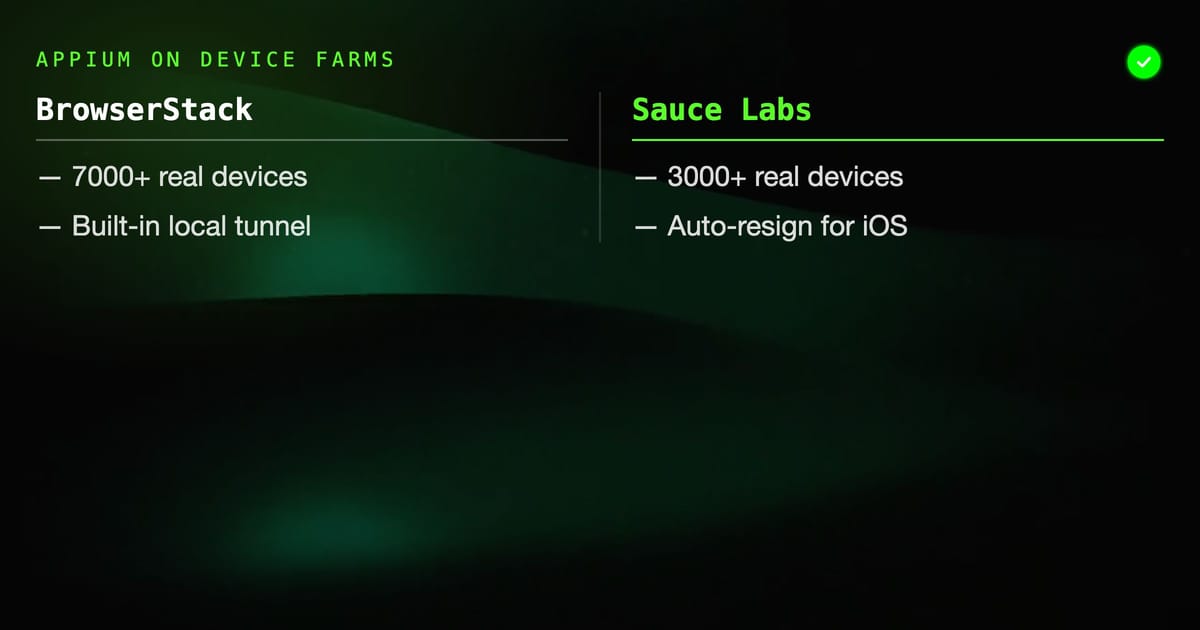
| Device catalog | 7000+ | 3000+ | 1000+ |
| iOS support | Excellent | Excellent | Good |
| Android support | Excellent | Excellent | Excellent |
| Pricing model | Per minute | Per minute | Per minute/device hour |
| AWS integration | Manual | Manual | Native |
| Setup complexity | Low | Low | Medium |
| Local tunnel | Built-in | Built-in | Manual |
| Best for | Teams using BrowserStack elsewhere | Enterprise, complex needs | AWS-native teams |
Cost Optimization
Device farm costs add up quickly. Strategies to control them:
Run real device tests only on PRs to main:
if: github.base_ref == 'main'
run: npm run test:real-devicesUse simulators for feature branches, real devices for release candidates.
Select device coverage strategically:
- Cover top 3 iOS versions (covers ~90% of users)
- Cover top 5 Android devices by market share
- Add manufacturer-specific devices only when you have manufacturer-specific bugs
Cache apps: BrowserStack and Sauce Labs both support app caching. Don't re-upload the same build multiple times.
Parallelize effectively: Running 10 devices for 5 minutes costs the same as 1 device for 50 minutes. Maximize parallelism on slower test suites.
Real device testing is not optional for production mobile apps — it's where you find the last 10% of bugs that simulators miss. The device farms make it economically viable to cover hundreds of device combinations without managing hardware. Pick the one that integrates with your existing stack and start with a small device matrix, expanding coverage as you build confidence in the infrastructure.
HelpMeTest's health monitoring can also track your app's API endpoints 24/7, catching backend issues that affect mobile users before they report them — complementing your device farm test runs.