Angular Reactive Forms Testing with FormBuilder
Reactive forms are the preferred way to handle complex form logic in Angular.

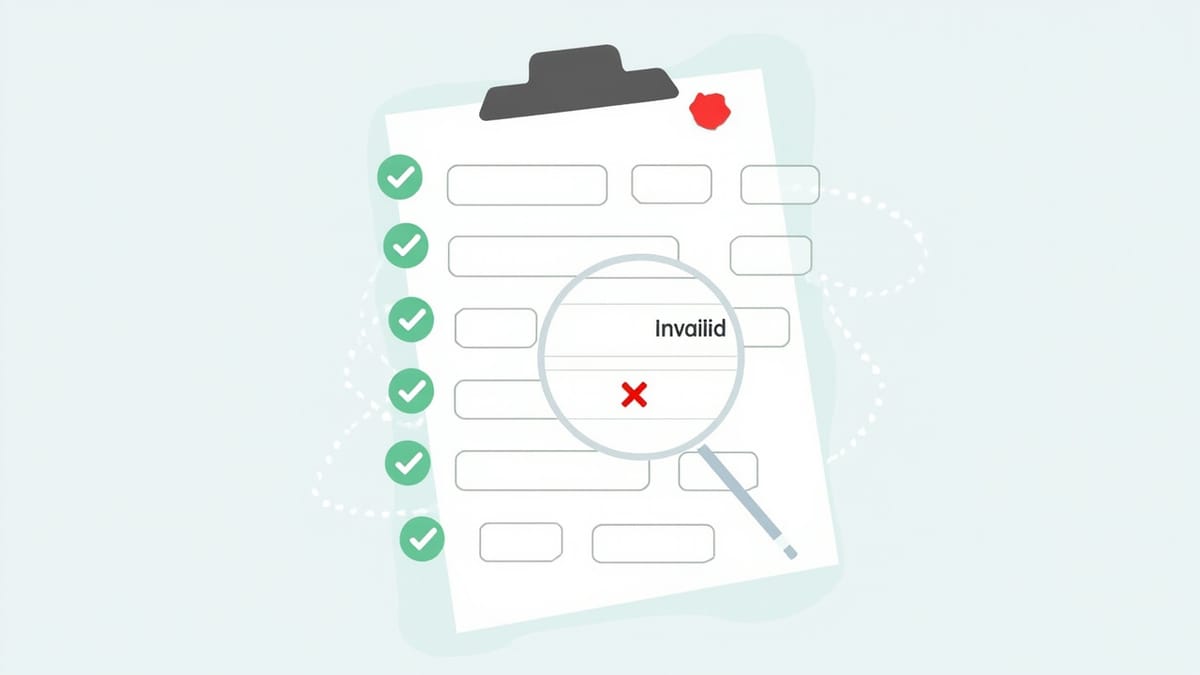
Reactive forms are the preferred way to handle complex form logic in Angular. They're also well-suited to testing because the form model is a plain TypeScript object — you can set values, trigger validation, and inspect state without touching the DOM at all. This guide covers every pattern from basic control testing to FormArray and async validators.
Setting Up Form Tests
Use TestBed with ReactiveFormsModule imported, then create your component and access its form directly:
import { ReactiveFormsModule, FormBuilder, FormGroup, Validators } from '@angular/forms';
import { ComponentFixture, TestBed } from '@angular/core/testing';

@Component({
  selector: 'app-registration',
  template: `
    <form [formGroup]="form" (ngSubmit)="onSubmit()">
      <input formControlName="email" data-testid="email" />
      <div *ngIf="form.get('email')?.invalid && form.get('email')?.touched"
           class="email-error">
        Invalid email
      </div>

      <input formControlName="password" type="password" data-testid="password" />
      <input formControlName="confirmPassword" type="password" data-testid="confirm-password" />
      <div *ngIf="form.errors?.['passwordMismatch']" class="mismatch-error">
        Passwords do not match
      </div>

      <button type="submit" [disabled]="form.invalid" data-testid="submit">Register</button>
    </form>
  `
})
export class RegistrationComponent {
  form: FormGroup;

  constructor(private fb: FormBuilder) {
    this.form = this.fb.group({
      email: ['', [Validators.required, Validators.email]],
      password: ['', [Validators.required, Validators.minLength(8)]],
      confirmPassword: ['', Validators.required],
    }, { validators: passwordMatchValidator });
  }

  onSubmit(): void {
    if (this.form.valid) {
      // submit logic
    }
  }
}

function passwordMatchValidator(group: FormGroup) {
  const password = group.get('password')?.value;
  const confirm = group.get('confirmPassword')?.value;
  return password === confirm ? null : { passwordMismatch: true };
}

describe('RegistrationComponent', () => {
  let component: RegistrationComponent;
  let fixture: ComponentFixture<RegistrationComponent>;

  beforeEach(async () => {
    await TestBed.configureTestingModule({
      declarations: [RegistrationComponent],
      imports: [ReactiveFormsModule, CommonModule],
    }).compileComponents();

    fixture = TestBed.createComponent(RegistrationComponent);
    component = fixture.componentInstance;
    fixture.detectChanges();
});Having direct access to component.form means most assertions can be made on the model without querying the DOM. This makes tests faster and more precise.
Testing Form State: Valid, Invalid, Pristine, Dirty
Angular tracks form state through a set of boolean flags. Test these explicitly:
  it('starts invalid with empty fields', () => {
    expect(component.form.valid).toBeFalse();
    expect(component.form.invalid).toBeTrue();
  });

  it('starts pristine', () => {
    expect(component.form.pristine).toBeTrue();
    expect(component.form.dirty).toBeFalse();
  });

  it('becomes dirty when any field changes', () => {
    component.form.get('email')?.setValue('test@example.com');
    expect(component.form.dirty).toBeTrue();
  });

  it('becomes valid when all fields are correctly filled', () => {
    component.form.patchValue({
      email: 'user@example.com',
      password: 'securepass123',
      confirmPassword: 'securepass123',
    });

    expect(component.form.valid).toBeTrue();
  });

  it('marks controls as touched on blur', () => {
    const emailControl = component.form.get('email');
    expect(emailControl?.touched).toBeFalse();

    const emailInput = fixture.nativeElement.querySelector('[data-testid="email"]');
    emailInput.dispatchEvent(new Event('blur'));
    fixture.detectChanges();

    expect(emailControl?.touched).toBeTrue();
});patchValue sets multiple fields at once — use it in setup blocks to quickly bring the form to a specific state. setValue requires every field in the group to be set; patchValue only updates what you provide.
Testing Sync Validators
Validators return an error object or null. Test both the presence and shape of validation errors:
  describe('email field', () => {
    let emailControl: AbstractControl;

    beforeEach(() => {
      emailControl = component.form.get('email')!;
    });

    it('is required', () => {
      emailControl.setValue('');
      expect(emailControl.hasError('required')).toBeTrue();
    });

    it('rejects malformed email addresses', () => {
      emailControl.setValue('not-an-email');
      expect(emailControl.hasError('email')).toBeTrue();
    });

    it('is valid with a proper email', () => {
      emailControl.setValue('user@example.com');
      expect(emailControl.valid).toBeTrue();
    });
  });

  describe('password field', () => {
    let passwordControl: AbstractControl;

    beforeEach(() => {
      passwordControl = component.form.get('password')!;
    });

    it('requires minimum 8 characters', () => {
      passwordControl.setValue('short');
      expect(passwordControl.hasError('minlength')).toBeTrue();

      const error = passwordControl.getError('minlength');
      expect(error.requiredLength).toBe(8);
      expect(error.actualLength).toBe(5);
    });

    it('is valid at exactly 8 characters', () => {
      passwordControl.setValue('exactly8');
      expect(passwordControl.valid).toBeTrue();
    });
  });

  describe('cross-field validator', () => {
    it('sets passwordMismatch error when passwords differ', () => {
      component.form.patchValue({
        email: 'user@example.com',
        password: 'password123',
        confirmPassword: 'different',
      });

      expect(component.form.hasError('passwordMismatch')).toBeTrue();
    });

    it('clears passwordMismatch error when passwords match', () => {
      component.form.patchValue({
        email: 'user@example.com',
        password: 'password123',
        confirmPassword: 'password123',
      });

      expect(component.form.hasError('passwordMismatch')).toBeFalse();
    });
});hasError('required') is cleaner than checking errors?.required. getError('minlength') returns the full error object when you need to inspect its properties.
Testing Async Validators
Async validators check against an external source — typically an API. Use fakeAsync to control timing:
function emailExistsValidator(userService: UserService): AsyncValidatorFn {
  return (control: AbstractControl): Observable<ValidationErrors | null> => {
    return userService.checkEmailExists(control.value).pipe(
      map(exists => (exists ? { emailTaken: true } : null)),
      catchError(() => of(null))
    );
  };
}

describe('async email validator', () => {
  let userServiceSpy: jasmine.SpyObj<UserService>;
  let form: FormGroup;

  beforeEach(() => {
    userServiceSpy = jasmine.createSpyObj('UserService', ['checkEmailExists']);

    form = new FormBuilder().group({
      email: [
        '',
        [Validators.required, Validators.email],
        [emailExistsValidator(userServiceSpy)],
      ],
    });
  });

  it('sets emailTaken error when email is already registered', fakeAsync(() => {
    userServiceSpy.checkEmailExists.and.returnValue(of(true));

    form.get('email')?.setValue('taken@example.com');
    tick(); // resolve async validator

    expect(form.get('email')?.hasError('emailTaken')).toBeTrue();
  }));

  it('has no error when email is available', fakeAsync(() => {
    userServiceSpy.checkEmailExists.and.returnValue(of(false));

    form.get('email')?.setValue('available@example.com');
    tick();

    expect(form.get('email')?.hasError('emailTaken')).toBeFalse();
    expect(form.get('email')?.valid).toBeTrue();
  }));

  it('is in pending state while async validation runs', fakeAsync(() => {
    // Use a subject to control when the observable resolves
    const subject = new Subject<boolean>();
    userServiceSpy.checkEmailExists.and.returnValue(subject.asObservable());

    form.get('email')?.setValue('check@example.com');

    // Before the observable emits, the control is pending
    expect(form.get('email')?.pending).toBeTrue();

    subject.next(false);
    subject.complete();
    tick();

    expect(form.get('email')?.pending).toBeFalse();
  }));
});The pending state matters for UX — while the async validator runs, you typically want to disable the submit button. Testing it explicitly ensures that behavior is covered.
Testing Form Submission
Form submission tests should verify what happens when the form is submitted in each state:
  describe('form submission', () => {
    let onSubmitSpy: jasmine.Spy;

    beforeEach(() => {
      onSubmitSpy = spyOn(component, 'onSubmit').and.callThrough();
    });

    it('submit button is disabled when form is invalid', () => {
      fixture.detectChanges();
      const button = fixture.nativeElement.querySelector('[data-testid="submit"]');
      expect(button.disabled).toBeTrue();
    });

    it('submit button is enabled when form is valid', () => {
      component.form.patchValue({
        email: 'user@example.com',
        password: 'securepass123',
        confirmPassword: 'securepass123',
      });
      fixture.detectChanges();

      const button = fixture.nativeElement.querySelector('[data-testid="submit"]');
      expect(button.disabled).toBeFalse();
    });

    it('calls onSubmit when form is submitted', () => {
      component.form.patchValue({
        email: 'user@example.com',
        password: 'securepass123',
        confirmPassword: 'securepass123',
      });
      fixture.detectChanges();

      const form = fixture.nativeElement.querySelector('form');
      form.dispatchEvent(new Event('submit'));

      expect(onSubmitSpy).toHaveBeenCalled();
    });

    it('does not submit invalid forms', () => {
      const formEl = fixture.nativeElement.querySelector('form');
      formEl.dispatchEvent(new Event('submit'));

      // onSubmit was called but should have guarded against invalid
      expect(onSubmitSpy).toHaveBeenCalled();
      // The guard inside onSubmit should prevent actual API call
      // Test the guard by checking service was not called
    });
});Testing the submit button's disabled state through the DOM ensures the binding [disabled]="form.invalid" is actually wired up — not just that the form model is correct.
Testing FormArray
FormArray manages a dynamic list of controls. Testing it means verifying that items can be added, removed, and validated independently:
@Component({
  selector: 'app-address-book',
  template: `
    <form [formGroup]="form">
      <div formArrayName="addresses">
        <div *ngFor="let address of addresses.controls; let i = index"
             [formGroupName]="i">
          <input formControlName="street" [attr.data-testid]="'street-' + i" />
          <input formControlName="city" [attr.data-testid]="'city-' + i" />
          <button type="button" (click)="removeAddress(i)"
                  [attr.data-testid]="'remove-' + i">Remove</button>
        </div>
      </div>
      <button type="button" (click)="addAddress()" data-testid="add-address">
        Add Address
      </button>
    </form>
  `
})
export class AddressBookComponent {
  form: FormGroup;

  constructor(private fb: FormBuilder) {
    this.form = this.fb.group({
      addresses: this.fb.array([this.createAddress()]),
    });
  }

  get addresses(): FormArray {
    return this.form.get('addresses') as FormArray;
  }

  createAddress(): FormGroup {
    return this.fb.group({
      street: ['', Validators.required],
      city: ['', Validators.required],
    });
  }

  addAddress(): void {
    this.addresses.push(this.createAddress());
  }

  removeAddress(index: number): void {
    this.addresses.removeAt(index);
  }
}

describe('AddressBookComponent', () => {
  let component: AddressBookComponent;
  let fixture: ComponentFixture<AddressBookComponent>;

  beforeEach(async () => {
    await TestBed.configureTestingModule({
      declarations: [AddressBookComponent],
      imports: [ReactiveFormsModule, CommonModule],
    }).compileComponents();

    fixture = TestBed.createComponent(AddressBookComponent);
    component = fixture.componentInstance;
    fixture.detectChanges();
  });

  it('starts with one address entry', () => {
    expect(component.addresses.length).toBe(1);
  });

  it('adds a new address when the add button is clicked', () => {
    const addButton = fixture.nativeElement.querySelector('[data-testid="add-address"]');
    addButton.click();
    fixture.detectChanges();

    expect(component.addresses.length).toBe(2);
    const streetInputs = fixture.nativeElement.querySelectorAll('[data-testid^="street-"]');
    expect(streetInputs.length).toBe(2);
  });

  it('removes an address when remove is clicked', () => {
    component.addAddress();
    fixture.detectChanges();

    const removeBtn = fixture.nativeElement.querySelector('[data-testid="remove-0"]');
    removeBtn.click();
    fixture.detectChanges();

    expect(component.addresses.length).toBe(1);
  });

  it('each address group validates independently', () => {
    component.addAddress();
    fixture.detectChanges();

    // Fill in only the first address
    component.addresses.at(0).patchValue({ street: '123 Main St', city: 'Springfield' });

    expect(component.addresses.at(0).valid).toBeTrue();
    expect(component.addresses.at(1).valid).toBeFalse();
    expect(component.form.valid).toBeFalse(); // form invalid because second entry is empty
  });

  it('the whole form becomes valid when all addresses are filled', () => {
    component.addresses.at(0).patchValue({ street: '123 Main St', city: 'Springfield' });
    expect(component.form.valid).toBeTrue();
  });

  it('setting values programmatically updates the DOM', () => {
    component.addresses.at(0).patchValue({ street: '456 Oak Ave', city: 'Shelbyville' });
    fixture.detectChanges();

    const streetInput = fixture.nativeElement.querySelector('[data-testid="street-0"]');
    expect(streetInput.value).toBe('456 Oak Ave');
  });
});Notice component.addresses.at(0).valid vs component.form.valid — a FormArray with one valid group and one invalid group makes the parent form invalid. Test this hierarchy explicitly.
Testing Error Message Display
Validating that error messages appear at the right time requires interacting with both the form model and the DOM:
  it('shows email error only after the field is touched', () => {
    const emailControl = component.form.get('email')!;
    emailControl.setValue('bad-email');

    fixture.detectChanges();

    // Not touched yet — error should be hidden
    let errorEl = fixture.nativeElement.querySelector('.email-error');
    expect(errorEl).toBeNull();

    // Mark as touched
    emailControl.markAsTouched();
    fixture.detectChanges();

    errorEl = fixture.nativeElement.querySelector('.email-error');
    expect(errorEl).not.toBeNull();
    expect(errorEl.textContent).toContain('Invalid email');
});The touched/untouched distinction prevents showing validation errors before the user has interacted with the field. Testing it ensures your UX decisions are enforced in code.
Reactive form tests give you precise control over form state and validators. They're fast because most assertions operate on the TypeScript model, not the DOM. But they can't verify how users actually experience your forms in a real browser — network latency, autocomplete behavior, mobile keyboard quirks.
HelpMeTest complements your unit tests by running end-to-end form scenarios against your deployed application, catching the issues that only appear when everything is wired together.