Android Robolectric Unit Testing Guide

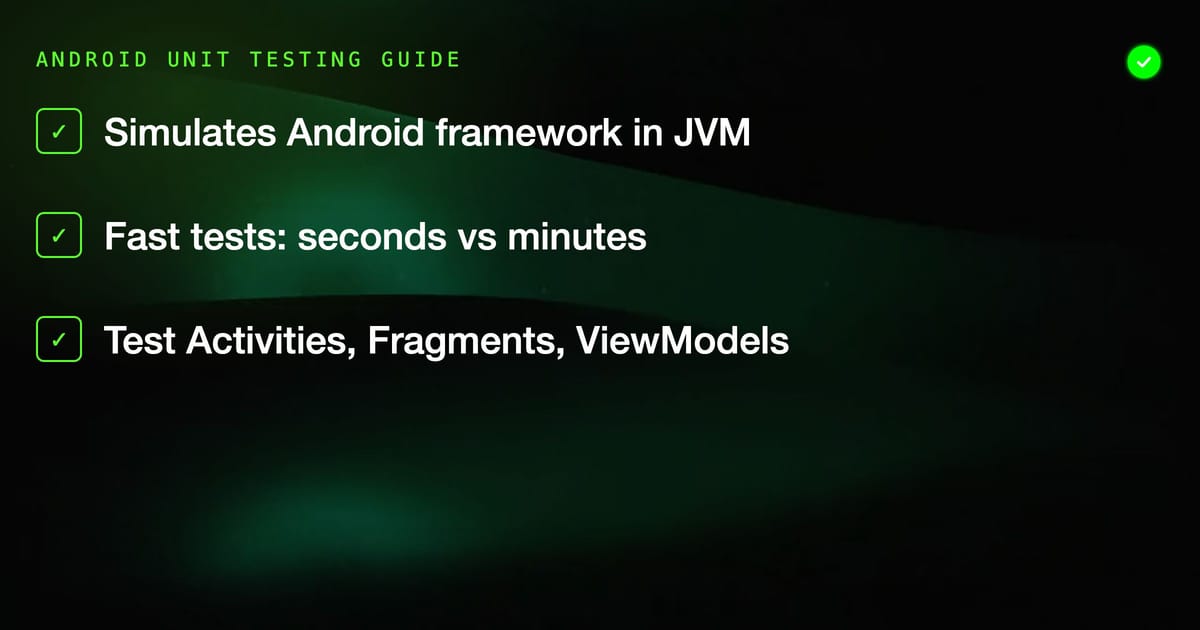
Android instrumentation tests run on a real device or emulator. That means every test suite invocation involves booting an emulator, installing an APK, and waiting for the Android runtime to execute your code. A test suite that takes 20 seconds on a laptop can take 10 minutes in CI.
Robolectric solves this by simulating the Android framework in a standard JVM. Your tests run in the same process as the test runner — no emulator, no APK installation, no 60-second boot time. A suite of hundreds of tests runs in seconds.
How Robolectric Works
The Android SDK is designed to run on Android devices. When you call Context.getSystemService() or View.setOnClickListener(), those methods have real implementations on a device and stub implementations in the android.jar that ships with the SDK — stubs that throw RuntimeException("Stub!") if called.
Robolectric replaces those stubs with shadow classes — Java implementations of Android framework components that simulate the real behavior closely enough for testing. When your code calls TextView.getText(), Robolectric's shadow returns what you set with setText(). When your code calls Activity.startActivity(), Robolectric records the Intent and lets you assert on it.
| Test Type | Runs On | Speed | Android Framework Access |
|---|---|---|---|
| Unit (plain JUnit) | JVM | Very fast | None (mocks only) |
| Robolectric | JVM | Fast | Simulated (shadows) |
| Instrumentation | Device/Emulator | Slow | Real |
| Espresso | Device/Emulator | Slow | Real |
Setup
Add the dependencies to your module's build.gradle:
dependencies {
    testImplementation("junit:junit:4.13.2")
    testImplementation("org.robolectric:robolectric:4.12.2")
    testImplementation("androidx.test:core:1.5.0")
    testImplementation("androidx.test.ext:junit:1.1.5")
    testImplementation("androidx.test.espresso:espresso-core:3.5.1")
    testImplementation("org.mockito.kotlin:mockito-kotlin:5.2.1")
}

android {
    testOptions {
        unitTests {
            includeAndroidResources = true  // Required for Robolectric
        }
    }
}Annotate your test class to tell Robolectric which Android SDK version to simulate:
@RunWith(RobolectricTestRunner::class)
@Config(sdk = [Build.VERSION_CODES.TIRAMISU])
class MyActivityTest {
    // tests here
}Testing Activities
The ActivityScenario API (from androidx.test.core) is the modern way to launch and interact with Activities in tests:
@RunWith(RobolectricTestRunner::class)
@Config(sdk = [Build.VERSION_CODES.TIRAMISU])
class LoginActivityTest {

    @Test
    fun `shows error when email is empty`() {
        val scenario = ActivityScenario.launch(LoginActivity::class.java)

        scenario.onActivity { activity ->
            // Click login without entering email
            activity.findViewById<Button>(R.id.btn_login).performClick()

            // Assert error is shown
            val errorText = activity.findViewById<TextView>(R.id.tv_error)
            assertThat(errorText.visibility).isEqualTo(View.VISIBLE)
            assertThat(errorText.text.toString()).isEqualTo("Email is required")
        }
    }

    @Test
    fun `navigates to home on successful login`() {
        val scenario = ActivityScenario.launch(LoginActivity::class.java)

        scenario.onActivity { activity ->
            activity.findViewById<EditText>(R.id.et_email).setText("user@example.com")
            activity.findViewById<EditText>(R.id.et_password).setText("password123")
            activity.findViewById<Button>(R.id.btn_login).performClick()

            // Check the started intent
            val started = Shadows.shadowOf(activity).nextStartedActivity
            assertThat(started.component?.className).isEqualTo(HomeActivity::class.java.name)
        }
    }

    @Test
    fun `handles lifecycle correctly`() {
        val scenario = ActivityScenario.launch(LoginActivity::class.java)

        // Move through lifecycle states
        scenario.moveToState(Lifecycle.State.STARTED)
        scenario.moveToState(Lifecycle.State.RESUMED)
        scenario.moveToState(Lifecycle.State.CREATED) // simulate backgrounding
        scenario.moveToState(Lifecycle.State.RESUMED)

        // Assert state is preserved through lifecycle
        scenario.onActivity { activity ->
            assertThat(activity.isFinishing).isFalse()
        }
    }
}Shadow Objects
Shadows are how Robolectric exposes framework internals that aren't accessible through normal Android APIs. Access shadows with Shadows.shadowOf():
@Test
fun `records analytics event on button click`() {
    val scenario = ActivityScenario.launch(ProductActivity::class.java)

    scenario.onActivity { activity ->
        activity.findViewById<Button>(R.id.btn_add_to_cart).performClick()

        // Check what was stored in SharedPreferences
        val prefs = activity.getSharedPreferences("analytics", Context.MODE_PRIVATE)
        val shadowPrefs = Shadows.shadowOf(prefs)
        // ... assert on shadow state
    }
}

@Test
fun `starts correct intent on share click`() {
    val scenario = ActivityScenario.launch(ArticleActivity::class.java)

    scenario.onActivity { activity ->
        activity.findViewById<Button>(R.id.btn_share).performClick()

        val shadow = Shadows.shadowOf(activity)
        val intent = shadow.nextStartedActivity

        assertThat(intent.action).isEqualTo(Intent.ACTION_SEND)
        assertThat(intent.type).isEqualTo("text/plain")
    }
}

@Test
fun `sends broadcast on data change`() {
    val context = ApplicationProvider.getApplicationContext<Context>()
    val shadowApp = Shadows.shadowOf(context as Application)

    // Trigger action that sends broadcast
    val repo = DataRepository(context)
    repo.updateData("new value")

    val broadcast = shadowApp.getBroadcastIntents()[0]
    assertThat(broadcast.action).isEqualTo("com.example.DATA_CHANGED")
}Testing Fragments
@RunWith(RobolectricTestRunner::class)
@Config(sdk = [Build.VERSION_CODES.TIRAMISU])
class ProfileFragmentTest {

    @Test
    fun `displays user name after data loads`() {
        val fragmentScenario = launchFragmentInContainer<ProfileFragment>(
            fragmentArgs = bundleOf("userId" to "user-123"),
            themeResId = R.style.Theme_MyApp
        )

        fragmentScenario.onFragment { fragment ->
            // Simulate data arriving (trigger ViewModel update)
            fragment.viewModel.setUser(User(id = "user-123", name = "Alice"))

            val nameView = fragment.requireView().findViewById<TextView>(R.id.tv_name)
            assertThat(nameView.text.toString()).isEqualTo("Alice")
        }
    }

    @Test
    fun `shows empty state when no data`() {
        val fragmentScenario = launchFragmentInContainer<ProfileFragment>()

        fragmentScenario.onFragment { fragment ->
            val emptyState = fragment.requireView().findViewById<View>(R.id.empty_state)
            assertThat(emptyState.visibility).isEqualTo(View.VISIBLE)
        }
    }
}Testing ViewModels with LiveData
ViewModels don't require Robolectric since they're plain Kotlin classes, but testing them with LiveData requires some setup:
class LoginViewModelTest {

    @get:Rule
    val instantTaskExecutorRule = InstantTaskExecutorRule()

    private lateinit var viewModel: LoginViewModel
    private val authRepository = mock<AuthRepository>()

    @Before
    fun setup() {
        viewModel = LoginViewModel(authRepository)
    }

    @Test
    fun `emits error state when credentials are invalid`() = runTest {
        whenever(authRepository.login("bad@email.com", "wrong"))
            .thenReturn(Result.failure(AuthException("Invalid credentials")))

        viewModel.login("bad@email.com", "wrong")

        val state = viewModel.uiState.value
        assertThat(state).isInstanceOf(LoginUiState.Error::class.java)
        assertThat((state as LoginUiState.Error).message).isEqualTo("Invalid credentials")
    }

    @Test
    fun `emits success state with token on valid login`() = runTest {
        whenever(authRepository.login("user@example.com", "password123"))
            .thenReturn(Result.success(AuthToken("mock-token")))

        viewModel.login("user@example.com", "password123")

        val state = viewModel.uiState.value
        assertThat(state).isInstanceOf(LoginUiState.Success::class.java)
    }

    @Test
    fun `shows loading state during login`() = runTest {
        val loginDeferred = CompletableDeferred<Result<AuthToken>>()
        whenever(authRepository.login(any(), any())).coAnswers {
            loginDeferred.await()
        }

        viewModel.login("user@example.com", "password123")

        assertThat(viewModel.uiState.value).isEqualTo(LoginUiState.Loading)

        loginDeferred.complete(Result.success(AuthToken("token")))
        assertThat(viewModel.uiState.value).isInstanceOf(LoginUiState.Success::class.java)
    }
}Testing Services and BroadcastReceivers
@RunWith(RobolectricTestRunner::class)
@Config(sdk = [Build.VERSION_CODES.TIRAMISU])
class SyncServiceTest {

    @Test
    fun `schedules retry on network failure`() {
        val context = ApplicationProvider.getApplicationContext<Context>()
        val intent = Intent(context, SyncService::class.java)
            .putExtra("type", "full_sync")

        val controller = Robolectric.buildService(SyncService::class.java, intent)
        val service = controller.create().get()

        // Simulate network unavailable
        val connectivityManager = context.getSystemService(Context.CONNECTIVITY_SERVICE)
                as ConnectivityManager
        Shadows.shadowOf(connectivityManager).setNetworkInfo(
            ConnectivityManager.TYPE_WIFI,
            Shadows.shadowOf(connectivityManager).getNetworkInfo(ConnectivityManager.TYPE_WIFI)!!
                .also { /* set disconnected */ }
        )

        controller.startCommand(0, 1)

        val alarmManager = context.getSystemService(Context.ALARM_SERVICE) as AlarmManager
        val shadow = Shadows.shadowOf(alarmManager)
        assertThat(shadow.scheduledAlarms).hasSize(1)
    }
}

@RunWith(RobolectricTestRunner::class)
class NetworkChangeReceiverTest {

    @Test
    fun `triggers sync when network reconnects`() {
        val context = ApplicationProvider.getApplicationContext<Context>()
        val receiver = NetworkChangeReceiver()

        val intent = Intent(ConnectivityManager.CONNECTIVITY_ACTION)
        intent.putExtra(ConnectivityManager.EXTRA_NO_CONNECTIVITY, false)

        receiver.onReceive(context, intent)

        val shadowApp = Shadows.shadowOf(context as Application)
        val startedServices = shadowApp.startedServices
        assertThat(startedServices).hasSize(1)
        assertThat(startedServices[0].component?.className)
            .isEqualTo(SyncService::class.java.name)
    }
}Custom Shadows
When the built-in shadows don't cover a library you're using, you can write your own:
// Shadow for a hypothetical analytics SDK
@Implements(AnalyticsTracker::class)
class ShadowAnalyticsTracker {
    companion object {
        val recordedEvents = mutableListOf<String>()

        fun reset() = recordedEvents.clear()
    }

    @Implementation
    fun track(eventName: String, properties: Map<String, Any>) {
        recordedEvents.add(eventName)
    }
}

// Use in tests
@RunWith(RobolectricTestRunner::class)
@Config(shadows = [ShadowAnalyticsTracker::class])
class ProductAnalyticsTest {

    @Before
    fun setup() {
        ShadowAnalyticsTracker.reset()
    }

    @Test
    fun `tracks product view event`() {
        val scenario = ActivityScenario.launch(ProductActivity::class.java)

        scenario.onActivity {
            assertThat(ShadowAnalyticsTracker.recordedEvents).contains("product_viewed")
        }
    }
}Robolectric vs Instrumentation: When to Use Each
Robolectric excels at testing logic that involves the Android framework — Activities, Fragments, Services, BroadcastReceivers, SharedPreferences. It gives you all of that without the emulator tax.
But Robolectric has real limitations:
- Rendering fidelity: Shadow views don't render pixels. Layout tests that depend on actual measurement don't work.
- Camera, Bluetooth, GPS: Hardware sensors have limited simulation support.
- WebView: Robolectric's WebView shadow is minimal.
- Native code: JNI and native libraries don't run in Robolectric.
- Vendor customizations: OEM-specific behavior (Samsung, Huawei UI layers) isn't covered.
Use instrumentation tests (Espresso, UI Automator) for anything that requires real rendering, hardware, or specific device behavior. Use Robolectric for the bulk of your framework interaction tests.
CI Speed Impact
A realistic Android project might have:
- 200 Robolectric tests: ~45 seconds on CI
- 50 Espresso tests: ~12 minutes on CI (emulator boot + execution)
Running all 250 tests as instrumentation tests would take 18+ minutes. With Robolectric handling 80% of the cases, total CI time drops dramatically. This is why the Android testing pyramid is heavily weighted toward Robolectric — it delivers the confidence of framework integration tests at near-unit-test speed.
Configure parallel execution in your Gradle properties to push Robolectric times even lower:
# gradle.properties
org.gradle.workers.max=4Robolectric tests parallelize cleanly because each test runs in its own isolated JVM context with no shared device state.