Android Testing in CI with GitHub Actions: Emulators, Caching, and Build Optimization
Getting Android tests running in GitHub Actions is straightforward. Getting them running fast and reliably is not.

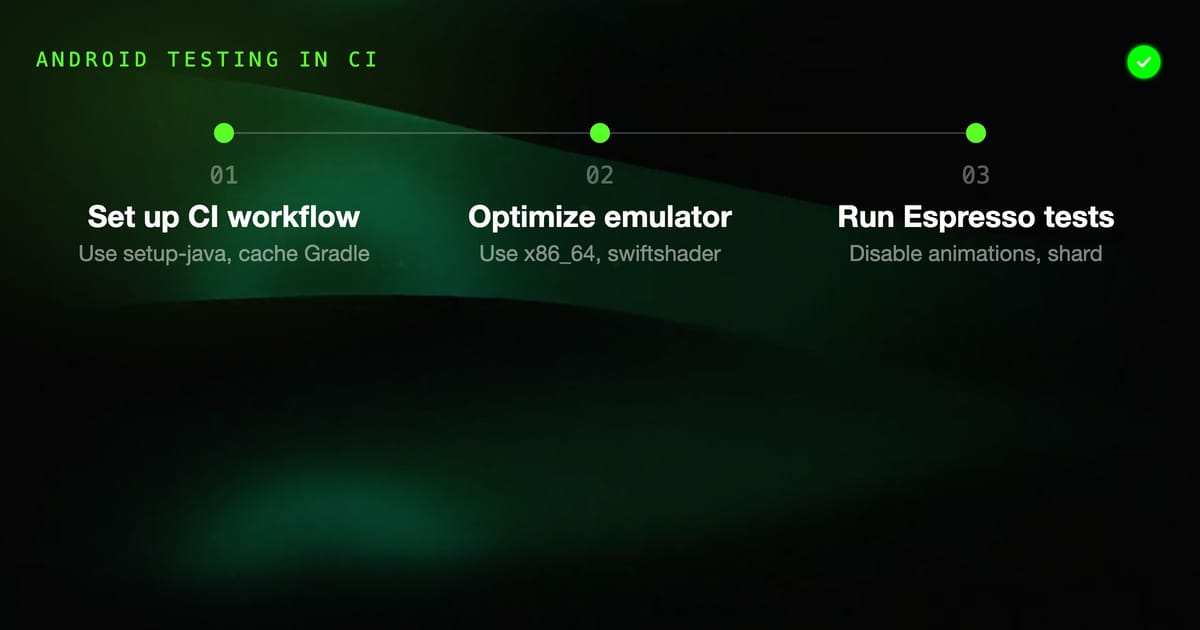
Getting Android tests running in GitHub Actions is straightforward. Getting them running fast and reliably is not. The emulator is the bottleneck: it's a full Android system image running in a VM, inside a GitHub Actions runner. There's overhead at every layer.
This guide covers a production-ready CI configuration — the kind you set up once and don't have to fight with every few weeks.
The Baseline Workflow
Start with a working baseline, then optimize. Here's a minimal workflow that runs unit tests and instrumented tests:
# .github/workflows/android-tests.yml
name: Android Tests

on:
  push:
    branches: [main, develop]
  pull_request:
    branches: [main]

jobs:
  unit-tests:
    name: Unit Tests
    runs-on: ubuntu-latest
    steps:
      - uses: actions/checkout@v4

      - name: Set up JDK 17
        uses: actions/setup-java@v4
        with:
          java-version: '17'
          distribution: 'temurin'

      - name: Cache Gradle
        uses: actions/cache@v3
        with:
          path: |
            ~/.gradle/caches
            ~/.gradle/wrapper
          key: ${{ runner.os }}-gradle-${{ hashFiles('**/*.gradle*', '**/gradle-wrapper.properties') }}
          restore-keys: ${{ runner.os }}-gradle-

      - name: Run unit tests
        run: ./gradlew testDebugUnitTest

      - name: Upload test results
        if: always()
        uses: actions/upload-artifact@v4
        with:
          name: unit-test-results
          path: '**/build/reports/tests/'

  instrumented-tests:
    name: Instrumented Tests
    runs-on: ubuntu-latest
    steps:
      - uses: actions/checkout@v4

      - name: Set up JDK 17
        uses: actions/setup-java@v4
        with:
          java-version: '17'
          distribution: 'temurin'

      - name: Enable KVM
        run: |
          echo 'KERNEL=="kvm", GROUP="kvm", MODE="0666", OPTIONS+="static_node=kvm"' | sudo tee /etc/udev/rules.d/99-kvm4all.rules
          sudo udevadm control --reload-rules
          sudo udevadm trigger --name-match=kvm

      - name: Cache Gradle
        uses: actions/cache@v3
        with:
          path: |
            ~/.gradle/caches
            ~/.gradle/wrapper
          key: ${{ runner.os }}-gradle-${{ hashFiles('**/*.gradle*', '**/gradle-wrapper.properties') }}
          restore-keys: ${{ runner.os }}-gradle-

      - name: Cache AVD
        uses: actions/cache@v3
        id: avd-cache
        with:
          path: |
            ~/.android/avd/*
            ~/.android/adb*
          key: avd-34-${{ runner.os }}-x86_64

      - name: Create AVD and generate snapshot
        if: steps.avd-cache.outputs.cache-hit != 'true'
        uses: reactivecircus/android-emulator-runner@v2
        with:
          api-level: 34
          arch: x86_64
          target: google_apis
          force-avd-creation: false
          emulator-options: -no-window -gpu swiftshader_indirect -noaudio -no-boot-anim -camera-back none
          disable-animations: false
          script: echo "Generated AVD snapshot for caching."

      - name: Run instrumented tests
        uses: reactivecircus/android-emulator-runner@v2
        with:
          api-level: 34
          arch: x86_64
          target: google_apis
          force-avd-creation: false
          emulator-options: -no-window -gpu swiftshader_indirect -noaudio -no-boot-anim -camera-back none
          disable-animations: true
          script: ./gradlew connectedDebugAndroidTest

      - name: Upload instrumented test results
        if: always()
        uses: actions/upload-artifact@v4
        with:
          name: instrumented-test-results
path: '**/build/reports/androidTests/'The KVM enablement step is mandatory on GitHub Actions ubuntu runners. Without hardware acceleration, the emulator falls back to software rendering — boot time goes from 30s to 5+ minutes and tests run 10x slower.
Android Emulator Setup in GitHub Actions
The reactivecircus/android-emulator-runner action handles the heavy lifting of emulator lifecycle management. Understand what it does:
- Downloads the system image if not cached
- Creates an AVD if one doesn't exist
- Boots the emulator
- Waits for the device to be ready (
adb wait-for-device+ boot completed check) - Runs your script
- Shuts down the emulator
Choosing the right API level and architecture: Use x86_64 on GitHub Actions runners (all modern runners are x86_64). The google_apis target includes Google Play Services — required if your app uses Firebase, Google Maps, or any Play Services API. If your app doesn't use Play Services, use default (smaller image, faster download).
API level strategy: Test on the minimum supported API level and the current stable release. If your minSdk is 24, test on API 24 and API 34. This catches compatibility issues at both ends without the overhead of testing every version.
Emulator options that matter:
-no-window: Headless mode. Required in CI — no display available.-gpu swiftshader_indirect: Software rendering that works in CI.hostGPU passthrough doesn't work in virtualized environments.-noaudio: Disable audio emulation. Slightly faster startup.-no-boot-anim: Skip the boot animation. Reduces boot time by a few seconds.-camera-back none: Disable camera emulation if your tests don't need it.
Caching Gradle and AVD
Caching is the single biggest lever for build speed in CI. An uncached Android build downloads Gradle, the Gradle wrapper, all dependencies, and the system image. That can be 10+ minutes of network time before a single line of your code runs.
Gradle caching: The cache key must include all Gradle files. If any build file changes, the cache is invalidated:
key: ${{ runner.os }}-gradle-${{ hashFiles('**/*.gradle*', '**/gradle-wrapper.properties', '**/libs.versions.toml') }}The restore-keys fallback lets you use a partial cache hit from a previous build when the exact key doesn't match:
restore-keys: |
${{ runner.os }}-gradle-What to include in the Gradle cache:
~/.gradle/caches— downloaded dependencies, compiled Kotlin metadata~/.gradle/wrapper— Gradle distribution- Optionally:
~/.android/build-cache— Android build cache (aapt2, D8, etc.)
AVD caching: Cache the created AVD snapshot so you don't recreate it on every run. The two-step approach in the baseline workflow above handles this:
- Check if the cache exists. If yes, skip creation.
- If not cached, create the AVD with a
scriptthat does nothing (just generates the snapshot file). - On the next step, boot the emulator and run tests using the cached snapshot.
The AVD cache key should include the API level and architecture. Change either and the cache is invalidated:
key: avd-34-${{ runner.os }}-x86_64Cache size: AVD snapshots are 1-2GB. GitHub Actions caches have a 10GB limit per repository. If you're caching multiple API levels, watch the total size. Use restore-keys patterns that prefer newer caches to prevent cache bloat.
Running Espresso Tests in CI
Disable animations — always. Espresso tests that pass locally can fail in CI because animation timing differs in a virtualized environment:
disable-animations: trueThe android-emulator-runner action sets these system properties when disable-animations: true:
window_animation_scale→ 0transition_animation_scale→ 0animator_duration_scale→ 0
You can also set them in your test setup:
adb shell settings put global window_animation_scale 0
adb shell settings put global transition_animation_scale 0
adb shell settings put global animator_duration_scale 0Grant permissions automatically: Add autoGrantPermissions to your Gradle test options or Appium capabilities so runtime permission dialogs don't block tests:
// In build.gradle.kts
android {
    defaultConfig {
        testInstrumentationRunnerArguments["clearPackageData"] = "true"
    }
}Test isolation: Use clearPackageData to wipe app data between test runs. Without this, state from one test run bleeds into the next, causing intermittent failures that are hard to reproduce locally.
Sharding: For large test suites, use test sharding to parallelize across multiple emulators:
strategy:
  matrix:
    shard: [0, 1, 2]

steps:
  - name: Run tests (shard ${{ matrix.shard }})
    uses: reactivecircus/android-emulator-runner@v2
    with:
      api-level: 34
      script: >
        ./gradlew connectedDebugAndroidTest
        -Pandroid.testInstrumentationRunnerArguments.numShards=3
-Pandroid.testInstrumentationRunnerArguments.shardIndex=${{ matrix.shard }}Three shards cut a 30-minute Espresso suite to ~12 minutes, and each shard runs on its own emulator in parallel.
Test Result Artifacts
Always upload test results, and upload them even when tests fail (if: always()). This is critical — the point of uploading on failure is to see the test report for failing tests.
Test results formats:
**/build/reports/tests/— HTML reports fromtestDebugUnitTest(JUnit/Robolectric)**/build/reports/androidTests/— HTML reports fromconnectedDebugAndroidTest(Espresso)**/build/outputs/androidTest-results/— XML JUnit results (useful for CI reporting tools)
Coverage reports: Enable coverage in your test run:
script: ./gradlew connectedDebugAndroidTest -Pandroid.testCoverageEnabled=trueThen upload coverage:
- name: Upload coverage
  uses: codecov/codecov-action@v3
  with:
files: '**/build/reports/coverage/**/*.xml'Screenshot failures from Espresso: When an Espresso test fails, capture a screenshot for debugging. Add this to your test class:
@get:Rule
val screenshotRule = ScreenshotRule()Or use a TestWatcher that takes a screenshot on failure and saves it to a known path, then upload that directory as an artifact.
Optimizing Build Times
A slow Android CI build has multiple culprits. Address them in this order:
1. Gradle configuration cache: Reduces configuration phase from 30s to ~2s on cache hit:
# gradle.properties
org.gradle.configuration-cache=trueThis is stable in recent Gradle versions but has incompatibilities with some plugins. Test it — if your build breaks, check which plugin is incompatible and either update it or exclude it from the configuration cache.
2. Gradle build cache: Avoids recompiling unchanged modules:
org.gradle.caching=trueWith remote build caching (using Gradle Enterprise or a self-hosted cache server), developers and CI share the build cache. A clean CI build reuses compilation outputs from the last developer build, skipping recompilation entirely.
3. Parallel execution:
org.gradle.parallel=true
org.gradle.workers.max=4Don't set workers.max higher than the number of CPU cores available. GitHub Actions free tier gives you 2 cores; paid gives you more.
4. Module structure: A deeply nested module graph with many small modules parallelizes better than one large :app module. If your build is slow, profiling it with ./gradlew --profile will show you where the time is going.
5. Don't build what you don't need: For unit tests, skip the APK build step entirely:
./gradlew testDebugUnitTest -x :app:packageDebugFor instrumented tests, build the minimum configuration:
./gradlew assembleDebug assembleDebugAndroidTestBuild both APKs, then run the tests separately — this separates the build step from the emulator-dependent test step:
- name: Build test APKs
  run: ./gradlew assembleDebug assembleDebugAndroidTest

- name: Run tests
  uses: reactivecircus/android-emulator-runner@v2
  with:
script: adb install app/build/outputs/apk/debug/app-debug.apk && adb install app/build/outputs/apk/androidTest/debug/app-debug-androidTest.apk && adb shell am instrument -w com.example.myapp.test/androidx.test.runner.AndroidJUnitRunnerCommon CI Failures and Fixes
"No connected devices": KVM is not enabled or the emulator didn't finish booting. The KVM udev rules step is required. If the emulator boots too slowly, increase the emulator-boot-timeout option in android-emulator-runner.
INSTALL_FAILED_INSUFFICIENT_STORAGE: The emulator's internal storage is full. Use -partition-size 4096 in emulator options to increase the data partition size.
Tests pass locally, fail in CI: Almost always an animation timing issue (add disable-animations: true), a missing permission (add autoGrantPermissions), or leftover state from a previous test (add clearPackageData).
Flaky tests in CI but not locally: The emulator in CI is slower than a local emulator. Timeouts that work locally may not give enough headroom in CI. Increase WebDriverWait timeouts by 2-3x for CI runs, or better, fix the idling resource so the test doesn't depend on timing.
Build cache corruption: If a CI job is killed mid-build, the Gradle cache can get corrupted. Add a cache cleanup step that deletes *.lock files in the Gradle cache if a build fails consistently with lock acquisition errors.
Keep the CI configuration in version control, test it on a branch before merging, and treat build failures as blockers — a broken CI pipeline that nobody fixes is worse than no CI pipeline at all.