Alloy Model Checking: Find Design Bugs Before Writing Code
Most software bugs originate at the design level, not the implementation level.

Most software bugs originate at the design level, not the implementation level. You misunderstood how two subsystems interact, or you forgot that a particular state combination was possible. By the time you discover this in a test, you've built the wrong thing for days or weeks.
Alloy is a lightweight formal modeling language for finding these design bugs early. You describe your system's structure and invariants in Alloy's relational logic, then the Alloy Analyzer searches for counterexamples — concrete scenarios where your assumptions are violated. Unlike TLA+ (which is optimized for concurrent protocols), Alloy excels at structural properties: data model correctness, access control consistency, and object relationship invariants.
Alloy vs TLA+
Both are formal methods tools, but with different sweet spots:
| Concern | Alloy | TLA+ |
|---|---|---|
| Data model structure | Excellent | Awkward |
| Concurrent protocols | Limited | Excellent |
| Access control | Natural | Verbose |
| Learning curve | Lower | Higher |
| Counterexample visualization | Graphical | Text traces |
Use Alloy to model your domain objects and their relationships. Use TLA+ to model message passing and state machine protocols.
Installing the Alloy Analyzer
# Download the latest release
wget https://github.com/AlloyTools/org.alloytools.alloy/releases/download/v6.1.0/alloy-6.1.0.jar

# Run (requires Java 11+)
java -jar alloy-6.1.0.jarOr use VS Code extension loganfsmyth.vscode-alloy. The Analyzer includes a built-in visualizer that renders counterexamples as graph diagrams.
Signatures and Relations
Alloy models start with sig declarations — the types in your system:
-- A simple access control model

sig User {}
sig Resource {}
sig Role {}

sig Permission {
    role: one Role,
    resource: one Resource,
    canRead: lone Resource,
    canWrite: lone Resource
}

sig Assignment {
    user: one User,
    role: one Role
}Relations are first-class. user: one User means each Assignment is related to exactly one User. Multiplicity keywords: one (exactly one), lone (zero or one), some (one or more), set (zero or more).
Facts, Predicates, and Assertions
Facts are constraints that always hold:
fact NoSelfEscalation {
    -- A user can't grant themselves a role they don't have
    all a: Assignment, r: Role |
        (a.user -> r) in Assignment.user.~user.role
        implies a.role = r or r in a.user.~user.role
}Predicates are named constraints you can reuse:
pred canAccess[u: User, r: Resource] {
    some a: Assignment |
        a.user = u and
        some p: Permission |
            p.role = a.role and
            (p.canRead = r or p.canWrite = r)
}Assertions are what you want to verify — claims that should always hold:
assert NoUnauthorizedAccess {
    all u: User, r: Resource |
        canAccess[u, r] implies
        some a: Assignment |
            a.user = u and
            some p: Permission | p.role = a.role and p.resource = r
}

check NoUnauthorizedAccess for 5The check ... for 5 bounds the search to instances with at most 5 elements per signature. If Alloy finds a counterexample, it shows you a concrete scenario with specific users, roles, and resources that violate NoUnauthorizedAccess.
Modeling a File System
A more complete example — a simplified file system with ownership and permissions:
sig Path {}
sig User {}
sig Group {}

sig File {
    path: one Path,
    owner: one User,
    group: lone Group,
    mode: one Mode
}

sig Directory extends File {
    children: set File
}

abstract sig Mode {}
one sig ReadOnly, ReadWrite, Private extends Mode {}

-- No cycles in directory tree
fact AcyclicFS {
    no f: File | f in f.^(~children)
}

-- Each path belongs to at most one file
fact UniquePathsAlways {
    all p: Path | lone f: File | f.path = p
}

pred canWrite[u: User, f: File] {
    f.owner = u and f.mode = ReadWrite
}

pred canRead[u: User, f: File] {
    f.owner = u and f.mode != Private
    or
    (some g: Group | g = f.group and u in g.~group and f.mode = ReadOnly)
}

-- Assert: if you can write, you can also read
assert WriteImpliesRead {
    all u: User, f: File |
        canWrite[u, f] implies canRead[u, f]
}

check WriteImpliesRead for 4Run check WriteImpliesRead for 4 and Alloy will either confirm no counterexample exists within the bound, or show you a 4-element instance where write access doesn't imply read access — which means your permission model has a bug.
Finding Instances with run
Besides checking assertions, you can ask Alloy to show you examples of a predicate being satisfied:
pred TwoUsersShareFile {
    some f: File | #(f.owner) = 1 and
    some u1, u2: User |
        u1 != u2 and canRead[u1, f] and canRead[u2, f]
}

run TwoUsersShareFile for 5This is useful for validation — confirming that your model can actually produce the scenarios you intend to support.
Modeling Database Schemas
Alloy is particularly good at catching database constraint bugs:
sig OrderId {}
sig CustomerId {}
sig ProductId {}

sig Order {
    id: one OrderId,
    customer: one CustomerId,
    items: some OrderItem,
    status: one Status
}

sig OrderItem {
    product: one ProductId,
    quantity: one Int,
    order: one Order
}

abstract sig Status {}
one sig Pending, Confirmed, Shipped, Cancelled extends Status {}

-- Referential integrity
fact ItemsBelongToOneOrder {
    all i: OrderItem | one o: Order | i in o.items and i.order = o
}

-- Business rule: cancelled orders have no shipped items
fact CancelledMeansNoShipment {
    all o: Order | o.status = Cancelled implies
        no i: o.items | i.quantity > 0
}

-- Business rule: shipped orders were confirmed first
sig OrderHistory {
    order: one Order,
    transitions: seq Status
}

assert ConfirmedBeforeShipped {
    all h: OrderHistory |
        Shipped in h.transitions.elems implies
        some i: h.transitions.inds |
            h.transitions[i] = Confirmed and
            (some j: h.transitions.inds | j > i and h.transitions[j] = Shipped)
}

check ConfirmedBeforeShipped for 4 but 6 IntCounterexample Analysis
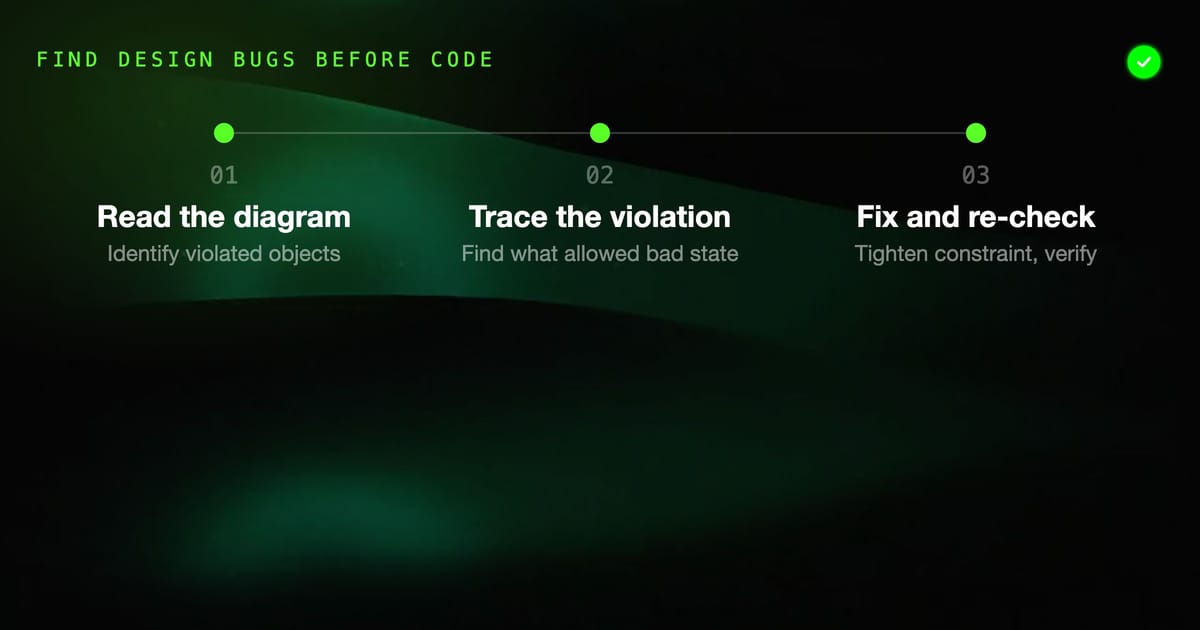
When Alloy finds a counterexample, the visualizer shows a diagram with your signatures as nodes and relations as edges. The key workflow:
- Read the diagram. Identify which objects are involved and what relation is violated.
- Trace the violation. Which fact or predicate allowed the bad state?
- Fix the constraint, not just the model. If
NoUnauthorizedAccessfails, tighten thecanAccesspredicate. - Re-check. Run
checkagain until no counterexample within the bound.
A "no counterexample found" result means: Alloy found no violation within the specified bound. It's not a proof for all possible sizes, but for well-chosen bounds it gives high confidence.
Bounds and Completeness
The bound in check ... for N controls how many instances of each signature Alloy considers. Choosing bounds:
- Start small (3-4) to catch obvious bugs quickly
- Increase gradually — many bugs appear with just 2-3 elements
- Use signature-specific bounds for asymmetric models:
check A for 3 User, 5 Permission, 2 Role
For data model properties that don't depend on scale, small bounds are often sufficient. The Alloy Analyzer can usually check bounds of 5-8 in seconds for moderately complex models.
Integrating Alloy into Development Workflow
Alloy specs live alongside code as design artifacts:
project/
  src/
    auth/
      permissions.go
  specs/
    auth/
      permissions.als    ← Alloy spec for the permissions model
permissions.md ← Notes on what the spec coversRun Alloy in CI without the GUI:
# Headless mode
java -cp alloy-6.1.0.jar edu.mit.csail.sdg.alloy4whole.ExampleUsingTheCompiler \
--check permissions.alsWrite specs at the same time you write design docs. When the implementation diverges from the spec (and it will), the spec serves as the authoritative source of truth for what the behavior should be.
Practical Use Cases
Where Alloy delivers the most value:
- Access control systems: Role hierarchies, permission inheritance, privilege escalation paths
- Database schema constraints: Referential integrity, uniqueness, business rule consistency
- API contracts: Valid state transitions, required vs optional fields, response schema consistency
- Workflow engines: State machine completeness, dead states, unreachable transitions
Alloy won't tell you if your implementation is correct — that's what tests are for. It tells you if your design is correct, before you build the wrong thing.