
Agile Testing Quadrants: A Framework for Complete Test Coverage

Most test strategies are built around tooling: "we use Jest for unit tests, Cypress for E2E, and k6 for load testing." The problem with tool-centric strategies is that tools tell you what you're running, not what you're covering. You can have a fully green test suite and still be missing entire categories of risk.
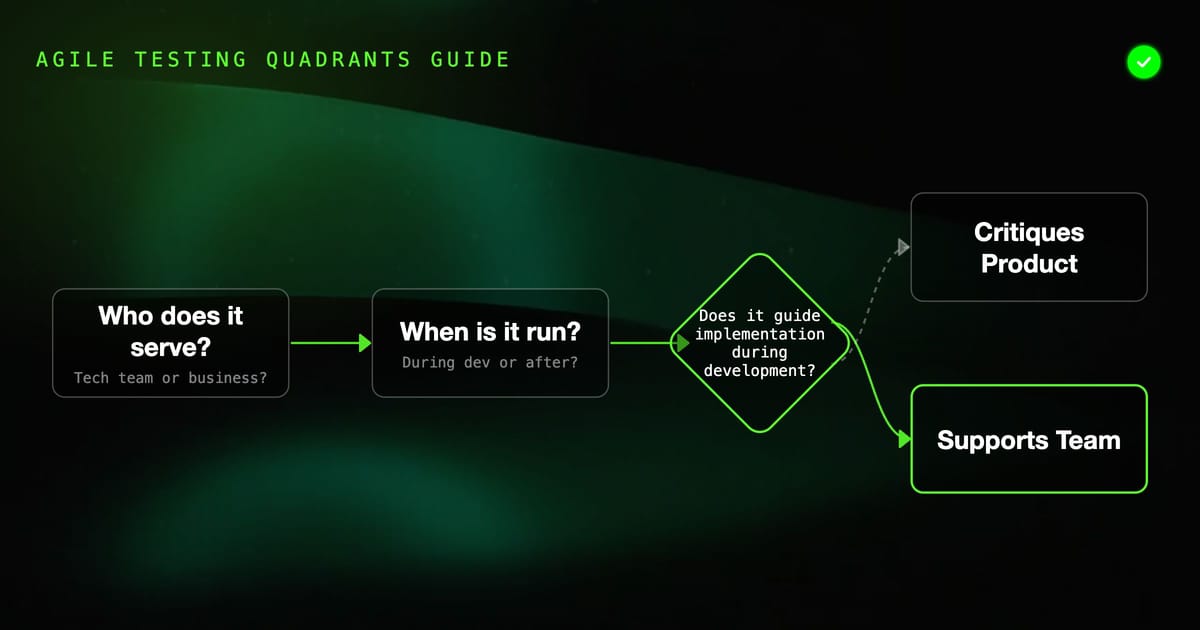
Brian Marick's agile testing quadrants solve this. The model organizes tests by two axes — who they serve and what they're for — and makes coverage gaps visible. When you map your existing tests to the quadrants, the empty cells tell you exactly what you're not testing.
The Two Axes
Axis 1: Technology-facing vs. Business-facing
- Technology-facing tests verify that the code is built correctly — that the implementation meets technical requirements. Developers write and read them.
- Business-facing tests verify that the right thing was built — that the software does what stakeholders need. Non-developers can read them, and ideally write them.
Axis 2: Supporting the team vs. Critiquing the product
- Supporting the team tests are written during development, before or alongside the code. They guide implementation.
- Critiquing the product tests evaluate the software from the outside, looking for problems the team might not have anticipated.
These axes create four quadrants.
Quadrant 1: Technology-Facing, Supports the Team
Q1 tests are your automated regression suite. Unit tests, component tests, integration tests written by developers as they build. Their purpose is to guide implementation and catch regressions.
What belongs here:
- Unit tests for business logic and algorithms
- Component tests (individual services, modules)
- Integration tests (service + database, service + message broker)
- API contract tests
Example Q1 test in Python (pytest):
# tests/unit/test_pricing.py
import pytest
from app.pricing import calculate_discount

class TestCalculateDiscount:
    def test_no_discount_below_threshold(self):
        assert calculate_discount(order_total=49.99, customer_tier="standard") == 0.0

    def test_ten_percent_at_threshold(self):
        assert calculate_discount(order_total=50.00, customer_tier="standard") == 5.0

    def test_vip_doubles_discount(self):
        assert calculate_discount(order_total=100.00, customer_tier="vip") == 20.0

    def test_discount_capped_at_fifty_percent(self):
        # Even VIP customers don't get more than 50% off
        assert calculate_discount(order_total=10000.00, customer_tier="vip") <= 5000.0

    def test_invalid_tier_raises_value_error(self):
        with pytest.raises(ValueError, match="Unknown tier"):
calculate_discount(order_total=100.00, customer_tier="diamond")Q1 is where most development teams invest the most. The quadrant model helps you see that this is only one-fourth of the coverage picture.
Quadrant 2: Business-Facing, Supports the Team
Q2 tests are executable specifications. They're written before (or alongside) the code, in a format that business stakeholders can read and verify. The goal is to ensure the team is building the right thing, not just building the thing right.
What belongs here:
- Acceptance tests (written from user scenarios)
- Behavior-driven tests (BDD with Cucumber/Gherkin)
- Example-based tests that illustrate business rules
- Workflow tests for key user journeys
Example Q2 test in Gherkin (Cucumber):
# features/checkout.feature
Feature: Checkout Process
  As a shopper
  I want to complete my purchase
  So that my items are delivered to me

  Background:
    Given I am logged in as "customer@example.com"
    And my cart contains:
      | Product    | Quantity | Price |
      | Widget Pro | 2        | 19.99 |
      | Gadget     | 1        | 34.99 |

  Scenario: Successful checkout with standard shipping
    When I proceed to checkout
    And I select "Standard Shipping"
    And I enter payment details for card "4111111111111111"
    And I place the order
    Then I should see "Order confirmed"
    And I should receive a confirmation email at "customer@example.com"
    And my cart should be empty

  Scenario: Checkout applies loyalty discount automatically
    Given I have "gold" loyalty status
    When I proceed to checkout
    Then I should see a discount of "$7.50" applied
    And the total should be "$67.47"

  Scenario: Out-of-stock item blocks checkout
    Given "Widget Pro" is out of stock
    When I proceed to checkout
    Then I should see "Widget Pro is no longer available"
And I should not be able to place the order# steps/checkout_steps.py
from pytest_bdd import given, when, then, parsers
@given('I am logged in as {email}')
def logged_in(browser, email):
browser.visit('/login')
browser.fill('email', email)
browser.fill('password', 'testpassword')
browser.click('button[type=submit]')
@when('I place the order')
def place_order(browser):
browser.click('button[data-testid=place-order]')
@then('I should see {text}')
def see_text(browser, text):
assert browser.is_text_present(text)The critical discipline in Q2: business stakeholders should be able to read the Gherkin scenarios and confirm they describe the correct behavior. If they can't, the tests aren't actually in Q2 — they're just Q1 tests written in Gherkin syntax.
Quadrant 3: Business-Facing, Critiques the Product
Q3 tests evaluate the product from the user's perspective, looking for problems that weren't anticipated during development. These often involve humans, exploratory work, and subjective judgment. They can't all be automated.
What belongs here:
- Exploratory testing sessions
- Usability testing (watching real users interact with the product)
- User acceptance testing (UAT) with actual stakeholders
- A/B tests and user research
- Accessibility audits with real assistive technology users
- Beta testing programs
For automated components of Q3, you might include:
- Visual regression tests (catching unintended UI changes)
- Accessibility automated checks (axe-core, WAVE)
- Readability/content quality checks
Example automated accessibility check in Playwright:
// tests/e2e/accessibility.spec.ts
import { test, expect } from '@playwright/test';
import AxeBuilder from '@axe-core/playwright';

test.describe('Checkout accessibility', () => {
  test('checkout form has no critical accessibility violations', async ({ page }) => {
    await page.goto('/checkout');

    const results = await new AxeBuilder({ page })
      .withTags(['wcag2a', 'wcag2aa'])
      .analyze();

    // Report all violations for visibility
    if (results.violations.length > 0) {
      console.log('Violations found:');
      results.violations.forEach(v => {
        console.log(`- [${v.impact}] ${v.description}`);
        v.nodes.forEach(n => console.log(`  Node: ${n.html}`));
      });
    }

    // Fail on critical violations only (business decision)
    const criticalViolations = results.violations.filter(v => v.impact === 'critical');
    expect(criticalViolations).toHaveLength(0);
  });
});But remember: much of Q3 cannot be automated. A usability test where a real person gets confused trying to find the checkout button is Q3 feedback that no automated test would have surfaced. Schedule time for it explicitly.
Quadrant 4: Technology-Facing, Critiques the Product
Q4 tests stress the system beyond normal operation to find its limits. These are non-functional requirements: performance, security, reliability.
What belongs here:
- Load and performance tests
- Stress tests and capacity tests
- Security penetration testing
- Chaos engineering
- Dependency scanning and vulnerability audits
- Compliance checks
Example Q4 load test with k6:
// tests/load/checkout-flow.js
import http from 'k6/http';
import { check, sleep } from 'k6';
import { Rate } from 'k6/metrics';

const errorRate = new Rate('errors');

export const options = {
  stages: [
    { duration: '2m', target: 100 },   // ramp to 100 users
    { duration: '5m', target: 100 },   // sustain 100 users
    { duration: '2m', target: 200 },   // ramp to 200 users
    { duration: '5m', target: 200 },   // sustain 200 users
    { duration: '2m', target: 0 },     // ramp down
  ],
  thresholds: {
    'http_req_duration': ['p(95)<500'],  // 95% under 500ms
    'errors': ['rate<0.01'],              // less than 1% errors
  },
};

export default function () {
  const response = http.post(
    `${__ENV.BASE_URL}/api/checkout`,
    JSON.stringify({
      cartId: `test-${__VU}-${__ITER}`,
      paymentMethod: 'card',
    }),
    { headers: { 'Content-Type': 'application/json' } }
  );

  const success = check(response, {
    'status is 200': (r) => r.status === 200,
    'response time OK': (r) => r.timings.duration < 500,
  });

  errorRate.add(!success);
  sleep(1);
}Q4 also includes automated security scanning in CI:
# .github/workflows/security.yml
- name: Run Trivy vulnerability scan
  uses: aquasecurity/trivy-action@master
  with:
    scan-type: 'fs'
    scan-ref: '.'
    severity: 'CRITICAL,HIGH'
    exit-code: '1'

- name: OWASP Dependency Check
  uses: dependency-check/Dependency-Check_Action@main
  with:
    project: 'my-service'
    path: '.'
    format: 'HTML'
args: '--failOnCVSS 7'Using the Quadrants to Find Coverage Gaps
Map your existing tests to the quadrant grid. Be honest.
                    | Business-Facing | Technology-Facing |
--------------------|-----------------|-------------------|
Supports the Team   |      Q2         |        Q1         |
Critiques the Product| Q3 | Q4 |Fill in what you have. Most teams find:
- Q1: well-covered (unit and integration tests)
- Q2: partially covered (some acceptance tests, often not readable by non-developers)
- Q3: mostly manual, no structured exploratory testing schedule
- Q4: load tests exist, security is ad-hoc or missing
Empty cells in this grid are your coverage gaps. They represent risk categories that no test in your suite is addressing.
Planning Template for a Sprint
When planning a sprint, use the quadrants as a checklist:
Q1 — What regression tests do we need for this feature?
- Unit tests for new business logic
- Integration tests for new DB queries or API calls
- Regression tests for changed behavior
Q2 — What acceptance criteria can we express as executable specs?
- Write Gherkin scenarios for the happy path
- Write scenarios for each error state
- Get stakeholder sign-off on the scenarios before coding
Q3 — What exploration and user feedback do we need?
- Schedule a 30-minute exploratory testing session at end of sprint
- Identify any usability questions to answer with user research
- Plan any accessibility review needed
Q4 — Are there non-functional requirements for this feature?
- Does this change affect performance? Schedule a load test.
- Does this change touch authentication or data handling? Schedule a security review.
- Are there new dependencies? Run a vulnerability scan.
The Discipline Required
The quadrant model is only useful if you're honest about what's in each cell. It's tempting to put a Cypress test in Q2 because it covers a user workflow. But if a product manager can't read it and verify it describes the correct behavior, it's Q1 in a Q2 costume.
Similarly, Q3 is often neglected because it involves humans and can't be measured by a CI green/red result. Schedule it anyway. The bugs found in exploratory testing are often the most important ones — they're the surprising behaviors that the team didn't know to look for.
The quadrant model doesn't tell you how many tests to write. It tells you whether you're covering all four dimensions of risk. Fill all four quadrants, and your test strategy is complete in a way that no single number or percentage can be.