Agency QA Workflow: A Step-by-Step Process for Testing Client Websites

Your client's checkout form broke on a Saturday night. You found out Monday morning when they called angry. That's not a testing problem — it's a workflow problem. Agencies that run systematic QA catch these failures before clients do, retain accounts longer, and charge more for the confidence they deliver.
Key Takeaways
A formal QA workflow is a retention tool, not just a technical practice. Agencies that catch bugs before clients notice reduce churn and justify higher retainers.
The 5-phase workflow — onboarding, test planning, automation, monitoring, reporting — scales to any portfolio size. With the right setup, one person can cover 50+ client sites.
Manual QA doesn't scale past 5 clients. Automated tests run 24/7; humans can't.
HelpMeTest lets agencies set up a complete client testing workflow in under 30 minutes per site. AI writes the tests; the platform monitors, alerts, and reports automatically.
Most digital agencies have the same QA workflow: a developer clicks around before launch, hopes nothing breaks, and waits for the client to report problems.
This works when you have 3 clients. It fails completely at 15. And at 30 or 50, you're permanently firefighting — apologizing, refunding, and losing accounts to agencies that seem to "just handle things better."
This guide is for agency owners, project managers, and developers who manage multiple client websites and want a repeatable, scalable process for keeping those sites working correctly.
Why Most Agency QA Workflows Break Down
The reactive approach has a fundamental flaw: the feedback loop runs through your clients.
A form breaks. A client loses leads for a week. They call you frustrated. You investigate, fix it, apologize. That sequence — client notices, client reports, agency reacts — happens dozens of times a year across a typical 20-site portfolio. Each incident costs you time, trust, and sometimes the contract.
The math is brutal. If you spend 4 hours on each incident and have 2 incidents per month across your portfolio, that's 96 hours a year on reactive debugging. At a blended agency rate of $150/hour, that's $14,400 in unrecoverable time — not counting the client relationships that don't survive the second incident.
The fix isn't working harder. It's changing when you find out about problems.
At HelpMeTest, we built the platform specifically for this pattern: automated tests that run on a schedule, health monitors that alert you the moment something fails, and a system that catches issues at 2am on Sunday so you're never the one being told.
Phase 1: Client Onboarding — Define What Matters
Before you write a single test, you need to understand what breaking actually costs each client.
Not every page is equal. A broken blog post is annoying. A broken booking form costs the client real money. The job in Phase 1 is to identify the 5–10 things on each client's site where a failure would cause immediate revenue impact.
What to capture during onboarding:
- Primary conversion paths (contact form, booking, checkout, quote request, signup)
- Login flows if the site has authenticated areas
- Revenue-generating pages (landing pages tied to paid ads, product pages)
- Third-party integrations that regularly break (payment processors, booking widgets, CRMs)
- Known fragile areas the previous developer warned about
Document this in a short intake form or onboarding call. Keep it in your project notes, not just in someone's head.
This list becomes your test scope for Phase 2.
Phase 2: Test Planning — Prioritize Critical User Paths
With your critical paths defined, rank them by impact. A useful framework:
Priority 1 — Test always: Core conversion paths. Anything tied to revenue, leads, or bookings. If this breaks, the client loses money within hours.
Priority 2 — Test on release: Secondary flows that users encounter often but won't cause immediate revenue loss. User account pages, subscription management, search functionality.
Priority 3 — Monitor only: Static content, blog pages, informational sections. These should be covered by uptime monitoring, not detailed functional tests.
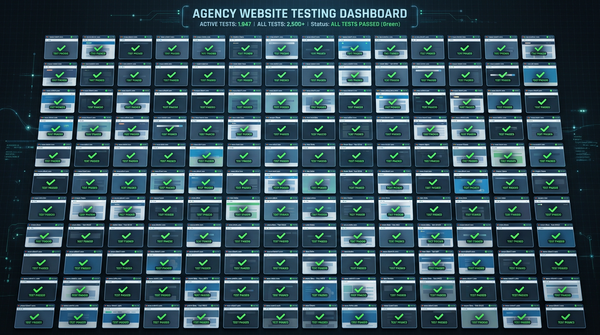
For a typical 10-page agency client site, you'll end up with 3–5 Priority 1 tests and 2–4 Priority 2 tests. That's 7–9 automated tests per client. Across a 20-client portfolio, that's roughly 140–180 tests — a volume that's impossible to run manually before every deployment but trivial to automate.
What each test should verify:
- The form or flow reaches the expected endpoint (submission confirmation, thank you page, logged-in state)
- No console errors or broken assets on the critical page
- Key dynamic content loads (product prices, availability, appointment slots)
- The primary CTA is visible and clickable
Phase 3: Setting Up Automated Tests
This is where most agencies stop — because setting up Playwright or Selenium for 50 client sites sounds like a project, not a workflow.
It doesn't have to be. Using HelpMeTest, you create one workspace per client (each client gets their own isolated account at a subdomain like client-name.helpmetest.com), describe the tests you need in plain English, and the AI generates and runs them against a real browser in the cloud.
Setup per client site:
- Create a new company workspace in HelpMeTest for the client
- Add the client's URL
- For each Priority 1 path, describe the test in plain language: "Go to the contact form, fill in name, email, and message, submit, verify the confirmation page loads"
- HelpMeTest generates Robot Framework steps and runs the test against a real browser
- Tag the test with the client name and priority level for easy filtering
A single client setup takes 20–30 minutes. Across 20 clients, that's 7–10 hours of initial investment for a system that then runs automatically every day.
Example: Contact form test (auto-generated)
Go To  https://client-site.com/contact
Fill Text  input[name="name"]  Test Name
Fill Text  input[name="email"]  test@helpmetest.com
Fill Text  textarea[name="message"]  Test message from automated QA
Click  button[type="submit"]
Wait For Element  .confirmation-message
Get Text  .confirmation-message  contains  Thank you
The tests run in HelpMeTest's cloud infrastructure — no browser setup on your end, no Selenium grid to maintain, no ChromeDriver version conflicts. The AI also handles self-healing: when a CSS selector changes after a site update, HelpMeTest detects the broken selector and fixes it automatically.
For more on setting this up end to end, see Agency QA Automation: How to Test Every Client Site Without Hiring a QA Team.
Phase 4: Ongoing Monitoring and Alerts
Automated tests catch regressions. Health checks catch availability and infrastructure failures.
Set up both for every client site.
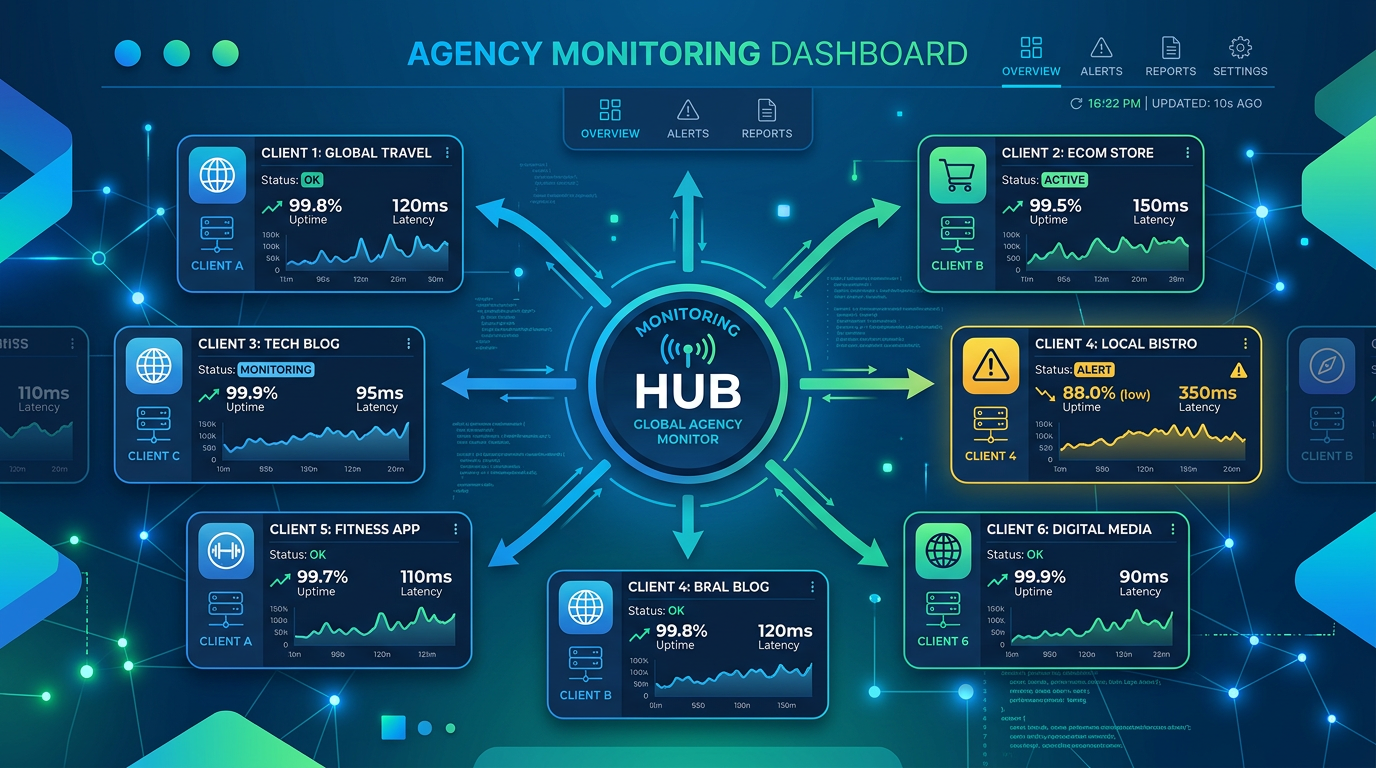
Uptime monitoring runs a lightweight check against the client's URL every 5 minutes. If the site returns an error or goes offline, you get an immediate alert — before the client's customers encounter it.
SSL certificate monitoring catches expiring certificates before they trigger browser security warnings. Losing an SSL certificate costs clients in trust and rankings, and it's almost always avoidable with a 30-day warning.
Functional test schedule — run your Priority 1 tests daily, Priority 2 tests weekly. Most failures appear within 24 hours of a code change, hosting event, or third-party integration update.
Alert routing matters as much as the alerts themselves. HelpMeTest supports email, Slack, and webhook notifications. Route alerts to a shared Slack channel by client name so the right project manager sees the right alerts immediately.
A practical setup for a 20-client portfolio:
- 20 uptime monitors (one per site) — always on, 5-minute intervals
- 20 SSL monitors — daily
- 100–180 functional tests — running on a daily/weekly schedule
- Alerts → Slack #client-monitoring channel
Total monitoring cost: HelpMeTest Pro at $100/month covers unlimited tests and health checks across all your client workspaces.
Phase 5: Client Reporting
The final piece is making your QA work visible to clients.
You don't need weekly reports. You need a paper trail for incidents and a periodic summary that demonstrates value. Two deliverables work well:
Monthly availability report: Screenshot the HelpMeTest dashboard for each client showing uptime percentage and test pass rate for the month. Most clients never think about this until something breaks; showing 99.8% uptime proactively reinforces that you're on it.
Incident reports: When something does break, document it: what failed, when HelpMeTest detected it (not when the client reported it), how long to resolution, and what was changed. This flips the narrative from "you broke my site" to "we caught and fixed this issue before it impacted your customers."
Agencies that deliver these reports regularly can position QA monitoring as a line item in their retainer — typically $200–500/month per client for "site reliability monitoring." The actual cost is $100/month for HelpMeTest Pro covering all clients, plus your time for setup and reporting.
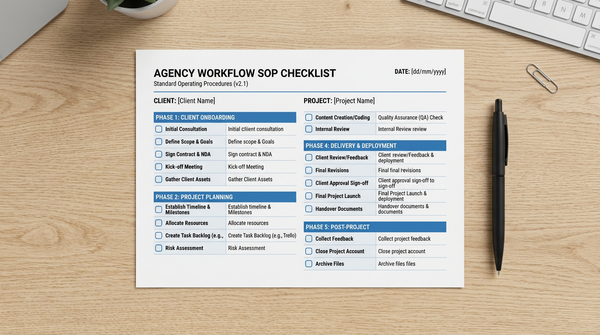
The Agency QA Workflow SOP Checklist
Use this checklist for every new client site onboarding and for quarterly reviews of existing clients.
Client Onboarding
- Identify 3–5 primary conversion paths (forms, checkouts, bookings)
- Document third-party integrations (payment, CRM, booking widgets)
- Confirm the client's primary revenue-driving landing pages
- Note any known fragile areas from the previous developer or client
- Create a new workspace in HelpMeTest for this client
Test Setup
- Write tests for all Priority 1 paths (revenue-critical)
- Write tests for Priority 2 paths (high-traffic, non-revenue)
- Tag all tests with client name and priority level
- Run tests once to confirm baseline pass
- Schedule Priority 1 tests for daily execution
- Schedule Priority 2 tests for weekly execution
Monitoring Setup
- Enable uptime monitoring for the client's primary URL
- Enable SSL certificate monitoring
- Configure alert routing to client-specific Slack channel or email
- Confirm alerts are received by the right team member
Reporting Setup
- Add client to monthly report template
- Set calendar reminder to pull monthly metrics
- Document incident response process for this client
Quarterly Review
- Review test pass rates — any consistently failing tests need investigation
- Check if new features or pages need test coverage
- Confirm contact form and checkout still work post any recent updates
- Update tests if the site has been redesigned
How This Scales
The workflow above requires roughly 30 minutes of setup per new client and about 2 hours per month per client for monitoring review and reporting. At 20 clients, that's 40 hours/month — or about 1 week of work, distributed.
The leverage is in the automation. Once tests are running, they produce their own monitoring without requiring ongoing attention. You check dashboards, respond to alerts, and generate reports — you don't manually test. That's the difference between a QA process that scales and one that collapses when you add client 16.
For agencies looking to go further — including testing Shopify stores, running tests across multiple staging and production environments, and integrating QA checks into deployment pipelines — see How to Test Multiple Websites as an Agency.
FAQ
How many tests should I write per client site?
Start with 5–7 tests covering your Priority 1 paths (forms, checkouts, logins). Once those are stable, add Priority 2 tests for secondary flows. More isn't always better — 10 reliable, well-targeted tests are more valuable than 50 broad tests that alert noisily.
What's the difference between uptime monitoring and functional tests?
Uptime monitoring checks that your site is online and returning a valid response. It catches hosting failures, DNS errors, and full-site outages in 5 minutes. Functional tests check that the site actually works — that forms submit, payments process, and user flows complete correctly. You need both: monitoring to catch infrastructure failures, tests to catch application failures.
How do I handle client sites that change frequently?
HelpMeTest's self-healing feature automatically detects and fixes broken selectors when a site is updated. For major redesigns, plan 30–60 minutes to review and update your test suite after the launch. Build this into your project estimates for any redesign work.
Can I test client staging environments before pushing to production?
Yes. HelpMeTest tests can run against any URL — staging, production, or a local development environment via proxy tunnel. Running your test suite against staging before a production deploy is standard practice and catches most regressions before clients see them.
What if a client only has a basic brochure site with no forms?
Uptime monitoring and SSL monitoring are still valuable. Add one visual test for the homepage to catch major layout breaks, and one functional test for any contact or inquiry mechanism. Even static sites have critical paths.
How do I price QA monitoring as a service?
Most agencies price it as a flat monthly add-on: $200–500/client depending on site complexity. Frame it as "site reliability monitoring" — a proactive service that ensures their site is always working correctly, with a monthly report to prove it. HelpMeTest Pro at $100/month covers your entire portfolio, so margin scales as you add clients.
Start Building Your Agency QA Workflow
A systematic agency QA workflow doesn't require a QA engineer, expensive enterprise tools, or a 3-month implementation project. It requires a consistent process and the right infrastructure.
HelpMeTest handles the infrastructure. The workflow above gives you the process. Start with one client site, run through the SOP checklist, and see what it takes to get a full monitoring setup live. Most agencies complete their first client setup in under an hour.
Start free — 10 tests and unlimited health checks with no credit card required.