Best Acceptance Testing Tools in 2024: Complete Comparison

Choosing an acceptance testing tool is a decision that shapes how your team writes tests, who can contribute to them, and how sustainable your test suite will be over time. The right tool depends on your application type, team expertise, stakeholder involvement needs, and how much you value different trade-offs.
This guide compares the leading acceptance testing tools — Robot Framework, Selenium, Cucumber, Playwright, and Cypress — with honest assessments of where each excels and where each falls short.
What to Look for in an Acceptance Testing Tool
Before comparing tools, establish your evaluation criteria. The tools that matter most vary by team:
- Readability — can non-technical stakeholders read and verify test scripts?
- Maintenance overhead — how much work does it take to keep tests passing as the application evolves?
- Speed — how fast does the test suite run?
- Cross-browser support — do you need to test in multiple browsers?
- Language support — what programming languages does your team use?
- CI/CD integration — how easily does it plug into your pipeline?
- Debugging experience — how easy is it to figure out why a test failed?
- Community and support — how large is the community? Is commercial support available?
With those criteria in mind, let's examine each tool.
Robot Framework
Robot Framework is a keyword-driven test automation framework with a syntax designed to be readable by anyone, regardless of technical background. It was originally built for acceptance testing and remains one of the best tools available for that purpose.
How It Works
Robot Framework tests are written in plain text files using a tabular syntax. Tests consist of keywords — either built-in keywords, library keywords, or custom keywords defined in the test suite. This abstraction means that test scripts read like documentation:
*** Test Cases ***
User Can Submit Support Ticket
    [Documentation]    Verify users can create and submit a support ticket
    Open Browser    ${BASE_URL}/support    Chrome
    Click Link      New Ticket
    Input Text      id=subject    Login page not loading
    Select From List By Label    id=category    Technical Issue
    Input Text      id=description    The login page returns a 404 error
    Click Button    Submit Ticket
    Wait Until Page Contains    Ticket #
    Page Should Contain    We'll respond within 24 hours
[Teardown] Close BrowserA business analyst, product manager, or client can read this test and understand what it's verifying without any programming knowledge.
Strengths
Readable by non-developers. The keyword syntax produces tests that serve as documentation. Stakeholders can review test cases, suggest additions, and verify that tests cover the right scenarios.
Extensive library ecosystem. SeleniumLibrary and Browser Library (Playwright-based) cover web UI testing. RequestsLibrary covers REST API testing. DatabaseLibrary covers database verification. SSHLibrary covers server interactions. Most integrations you need already exist.
Built-in reporting. Robot Framework generates HTML reports and logs after every test run, including screenshots on failure. These reports are readable by business stakeholders without any interpretation.
Flexible and extensible. Custom keywords can be written in Python, allowing any level of complexity while keeping the test layer readable.
Established acceptance testing tool. Robot Framework was designed for acceptance testing and has been used for this purpose for over a decade.
Weaknesses
Slower execution than native framework tests. The keyword abstraction adds overhead. For large test suites, parallel execution (using pabot) is recommended.
Python dependency. Robot Framework requires Python. Teams without Python experience may need to learn it for writing custom libraries.
Less developer-friendly debugging. Compared to tools with browser DevTools integration, debugging Robot Framework tests requires reading log files rather than interactive debugging.
Best For
- Teams where non-technical stakeholders need to read or write tests
- Acceptance testing in regulated industries that require human-readable documentation
- Teams with mixed technical and non-technical QA staff
- Enterprise environments with diverse technology stacks
Selenium
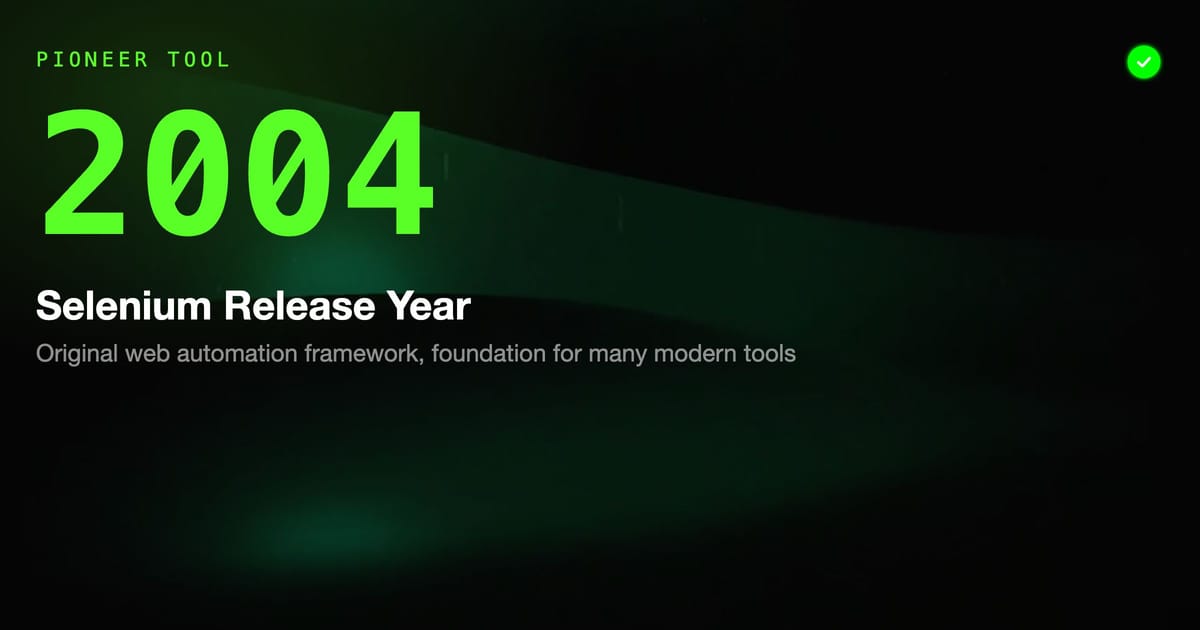
Selenium is the original web automation framework, released in 2004. It remains the most widely used browser automation tool and the foundation that many other tools are built on.
How It Works
Selenium WebDriver provides a language-neutral API for controlling browsers. You write tests in your programming language of choice (Java, Python, C#, JavaScript, Ruby, Kotlin), creating a WebDriver instance, navigating to URLs, finding elements, and interacting with them:
def test_user_login():
    driver = webdriver.Chrome()
    driver.get("https://example.com/login")

    driver.find_element(By.ID, "username").send_keys("testuser@example.com")
    driver.find_element(By.ID, "password").send_keys("password123")
    driver.find_element(By.CSS_SELECTOR, ".login-btn").click()

    assert "dashboard" in driver.current_url
    assert driver.find_element(By.CLASS_NAME, "welcome-message").is_displayed()

driver.quit()Strengths
Broadest browser support. Selenium supports Chrome, Firefox, Safari, Edge, and Internet Explorer. If you need to test in Safari or IE, Selenium is often your best option.
Multi-language support. Official bindings exist for Java, Python, C#, JavaScript, Ruby, and Kotlin. Your team can write tests in whatever language they use for development.
Largest ecosystem. Selenium has been around the longest, which means the most tutorials, StackOverflow answers, community knowledge, and integrations.
Cloud grid support. Selenium Grid (and cloud versions like Sauce Labs and BrowserStack) allows running tests across many browser/OS combinations simultaneously.
Foundation for other tools. If you understand Selenium, you understand the concepts behind most other browser automation tools.
Weaknesses
Manual waits required. Unlike modern tools, Selenium doesn't automatically wait for elements to be ready. Tests require explicit waits (WebDriverWait) to avoid flakiness, adding complexity and maintenance burden.
Setup complexity. Selenium requires managing browser drivers (ChromeDriver, GeckoDriver) that need to match browser versions. This has improved with Selenium Manager, but it's still more friction than newer tools.
Slower and more brittle. Selenium tests are slower than Playwright or Cypress tests and more prone to flakiness due to timing issues.
Not readable by non-developers. Raw Selenium code is not accessible to business stakeholders. Pairing with Cucumber or using a keyword-driven layer (like Robot Framework's SeleniumLibrary) addresses this.
Best For
- Teams with existing Java/Selenium expertise
- Applications requiring Safari or IE testing
- Environments with Selenium Grid infrastructure already in place
- Teams that want maximum language flexibility
Cucumber (with Gherkin)
Cucumber is a framework for Behavior-Driven Development (BDD) that uses the Gherkin format to write human-readable scenarios. It bridges the gap between business requirements and automated tests.
How It Works
Cucumber tests are written in Gherkin feature files:
Feature: User Registration
  As a new user
  I want to register for an account
  So that I can access the application

  Scenario: Successful registration with valid details
    Given the registration page is open
    When I enter a valid email "newuser@example.com"
    And I enter a matching password "SecurePass123!"
    And I click "Create Account"
    Then I should see the welcome screen
    And I should receive a confirmation email

  Scenario: Registration fails with existing email
    Given the registration page is open
    When I enter an email "existing@example.com" that is already registered
    And I enter a valid password "SecurePass123!"
    And I click "Create Account"
Then I should see the error "An account with this email already exists"These feature files are then wired to step definitions — code that implements what each Given/When/Then step actually does.
Strengths
Human-readable specifications. Gherkin feature files can be read and reviewed by business stakeholders. They serve as living documentation when kept up to date.
Language-agnostic. Cucumber has implementations for Java (Cucumber-JVM), JavaScript (Cucumber.js), Ruby, Python (Behave, pytest-bdd), .NET (SpecFlow), and others.
Collaboration tool. The process of writing Gherkin scenarios forces conversations between business and technical teams about exactly what behavior is expected.
Separation of concerns. Feature files define behavior; step definitions implement it. This means the human-readable specification can be stable even as implementation details change.
Weaknesses
Step definition maintenance. As test suites grow, managing step definitions becomes complex. Matching Gherkin steps to implementations can lead to subtle bugs and maintenance overhead.
Regex complexity. Step definitions use regular expressions (or Cucumber Expressions) to match Gherkin steps. This can become complex and error-prone.
Requires two files per test. Every test scenario requires both a Gherkin feature file and one or more step definition files. This doubles the surface area to maintain.
Not a test runner itself. Cucumber needs to be paired with a test runner and browser automation tool (Selenium, Playwright) to test web UIs. It's a specification format, not a complete testing solution.
Best For
- Teams with strong BDD practices where business stakeholders actively write or review Gherkin
- Organizations where feature files serve as contractual requirements documentation
- Teams that prefer the explicit separation of specification from implementation
Playwright
Playwright is Microsoft's modern web automation library, released in 2020. It's quickly become one of the most popular choices for acceptance testing due to its speed, reliability, and powerful feature set.
How It Works
Playwright provides a high-level API for browser automation, with auto-waiting built in:
test('user can complete checkout', async ({ page }) => {
  await page.goto('/shop');
  await page.click('[data-testid="product-blue-widget"]');
  await page.click('[data-testid="add-to-cart"]');
  await page.click('[data-testid="checkout-button"]');

  await expect(page).toHaveURL(/checkout/);
  await page.fill('#card-number', '4242424242424242');
  await page.fill('#expiry', '12/26');
  await page.fill('#cvv', '123');
  await page.click('[data-testid="complete-purchase"]');

  await expect(page.locator('.confirmation-message')).toBeVisible();
  await expect(page.locator('.order-number')).toContainText(/ORD-\d+/);
});Playwright automatically waits for elements to be actionable before interacting with them, dramatically reducing the timing-related flakiness that plagues Selenium tests.
Strengths
Auto-waiting. Playwright's auto-waiting eliminates most timing-related flakiness. You don't need to sprinkle waitForElement calls throughout your tests.
Multi-browser support. Playwright supports Chromium, Firefox, and WebKit (Safari) with a single API.
Speed. Playwright tests run significantly faster than Selenium tests.
Powerful debugging. The Playwright Inspector allows stepping through tests visually. The trace viewer records complete test execution — DOM snapshots, screenshots, and network calls — making failure diagnosis straightforward.
API testing built in. Playwright includes request context for API testing, useful for setup and verification steps that bypass the UI.
Official test runner. Playwright Test provides a complete test runner with parallelization, test fixtures, and reporting built in.
Codegen. playwright codegen records browser interactions and generates test code, providing a starting point for new tests.
Weaknesses
Code-centric. Playwright tests are written in TypeScript/JavaScript or Python, which means they're not readable by non-technical stakeholders without a translation layer.
Relatively new. Compared to Selenium, there's less community knowledge, fewer tutorials, and a smaller ecosystem of extensions.
No IE support. Playwright doesn't support Internet Explorer. If IE testing is required, Selenium is the alternative.
Best For
- Modern web applications with JavaScript-heavy frontends
- Teams that prioritize test reliability and speed
- Development teams writing their own acceptance tests
- Applications requiring multi-browser testing beyond IE
Cypress
Cypress is a front-end testing tool built specifically for modern web applications. It runs tests inside the browser, giving it unique capabilities but also some fundamental limitations.
How It Works
describe('Shopping Cart', () => {
  it('allows users to add items and checkout', () => {
    cy.visit('/shop');
    cy.get('[data-testid="product-card"]').first().click();
    cy.get('[data-testid="add-to-cart"]').click();
    cy.get('[data-testid="cart-count"]').should('contain', '1');
    cy.get('[data-testid="checkout"]').click();
    cy.url().should('include', '/checkout');
    cy.get('[data-testid="place-order"]').click();
    cy.get('.order-confirmation').should('be.visible');
  });
});Strengths
Developer experience. Cypress's interactive test runner, time-travel debugging, and automatic screenshots make it exceptionally easy to write and debug tests.
Fast for front-end testing. Running in the browser means Cypress tests are fast for UI-focused scenarios.
Good documentation. Cypress has some of the best documentation of any testing tool.
Easy setup. Installing and starting with Cypress is simple compared to Selenium or even Playwright.
Weaknesses
JavaScript/TypeScript only. Cypress only supports JavaScript and TypeScript. Teams using other languages need a different tool.
Single browser tab limitation. Cypress can't test scenarios involving multiple browser tabs or windows.
Cross-origin limitations. Testing flows that cross domains (common with OAuth login flows) requires workarounds.
Limited multi-browser support. Cypress supports Chromium browsers and Firefox, but not WebKit/Safari.
Not ideal for acceptance testing at scale. Cypress's architecture makes large parallel test suites more complex to run than Playwright.
Best For
- JavaScript/TypeScript frontend teams
- Development teams writing component and integration tests
- Teams prioritizing developer experience and debugging ergonomics
How HelpMeTest Fits In
The tools above are powerful, but they all have a common requirement: technical expertise to write and maintain tests. Writing effective Playwright or Selenium tests requires knowing the tool's API, understanding selectors, handling async operations, and debugging failures.
HelpMeTest takes a different approach. It's a cloud-hosted SaaS testing platform built on Robot Framework and Playwright, with AI-powered test generation that allows writing tests in plain natural language:
Test: User can complete a purchase
- Go to helpmetest.com/shop
- Search for "Blue Widget"
- Click on the first result
- Add to cart
- Proceed to checkout
- Enter payment details from the saved card
- Complete the purchase
- Verify order confirmation is shownThe platform converts this into executable acceptance tests and runs them automatically.
Key differentiators:
Natural language test creation. Business analysts and QA engineers without programming experience can write acceptance tests. This closes the gap between ATDD theory (stakeholders write tests) and practice (nobody wants to learn Gherkin).
Self-healing tests. When the UI changes and a selector breaks, HelpMeTest automatically identifies and updates the selector rather than failing and waiting for manual fixes. This addresses the maintenance burden that causes teams to abandon acceptance test automation.
AI-powered test generation. Provide a URL and a description of what to test; the platform generates a complete test suite covering the main flows.
No infrastructure management. Running acceptance tests requires browser infrastructure, CI/CD integration, and reporting. HelpMeTest handles all of this as a managed service with usage-based pricing ($0.003/run, no base fee).
Integrated reporting. Test results are presented in a format that business stakeholders can understand, not just developers.
HelpMeTest works alongside the tools above rather than replacing them. Teams with existing Playwright or Selenium suites can add HelpMeTest for natural language tests, or use it as the primary platform for acceptance testing while keeping developer-written tests in their existing framework.
Tool Selection Guide
| If you need... | Consider... |
|---|---|
| Tests readable by business stakeholders | Robot Framework or HelpMeTest |
| Maximum browser and language flexibility | Selenium |
| Fast, reliable modern web testing | Playwright |
| Developer-friendly debugging | Cypress |
| BDD with Gherkin specifications | Cucumber |
| No-code or low-code acceptance testing | HelpMeTest |
| Self-healing tests | HelpMeTest |
| Existing Java expertise | Selenium with JUnit or Cucumber-JVM |
| Existing Python expertise | Robot Framework or Playwright |
| Existing JavaScript expertise | Playwright or Cypress |
A Note on Tool Combinations
Most mature acceptance testing strategies use multiple tools:
- Robot Framework + Playwright/Browser Library — readable test scripts with modern browser automation
- Cucumber + Selenium/Playwright — Gherkin specifications with robust browser automation
- Playwright + HelpMeTest — developer-written tests for complex scenarios + AI-generated tests for standard flows
Don't feel locked into a single tool. The testing pyramid is a guide, and different parts of it may call for different tools.
Conclusion
The acceptance testing tool landscape in 2024 offers mature, capable options for every team type. Robot Framework and HelpMeTest prioritize readability and stakeholder accessibility. Playwright offers the best combination of speed, reliability, and developer experience. Selenium provides maximum flexibility and the largest community. Cypress delivers exceptional developer experience for JavaScript teams. Cucumber enables true ATDD with business-readable specifications.
The right choice isn't the most popular tool or the newest tool — it's the tool that fits your team's skills, your application's characteristics, and your stakeholders' involvement level. Start with a clear picture of your requirements, evaluate the options against them, and pilot your top choice on a real project before committing.
For teams that want to get started quickly with minimal infrastructure overhead, HelpMeTest offers a managed platform that handles the complexity so your team can focus on writing good acceptance tests rather than managing test infrastructure.