AccelQ Self-Healing Tests: How the AI Engine Keeps Your Suite Green
Self-healing tests sound like marketing language until you've spent three days fixing locator failures after a frontend redesign.

Self-healing tests sound like marketing language until you've spent three days fixing locator failures after a frontend redesign. AccelQ's self-healing engine is a real, measurable feature — but it has specific mechanics, specific limits, and it's worth understanding both before betting your test strategy on it.
The Problem Self-Healing Solves
Test automation suites break for two reasons: behavior changes (the application genuinely does something different) and cosmetic changes (the UI looks different but works the same). The second category — locator failures — accounts for a large percentage of test failures in mature automation suites. Estimates vary, but teams running Selenium on active codebases commonly report 30-50% of test failures are locator failures rather than real bugs.
A CSS selector like .btn-primary.checkout-submit breaks when a developer renames the class to .submit-btn or restructures the component hierarchy. Nothing about the application's behavior changed. The button still says "Checkout" and still submits the form. But the test is broken, and someone has to fix it.
Self-healing addresses this specific class of failure. It does not address behavior changes — those still fail, and they should, because that's what you want tests to catch.
How AccelQ's AI Engine Works
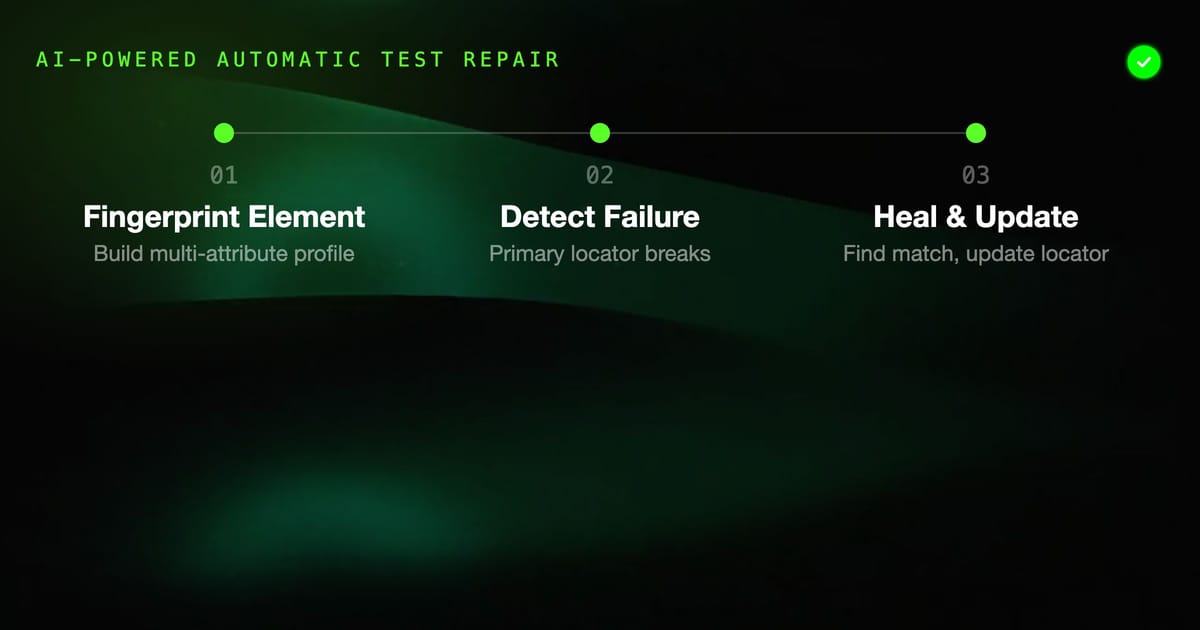
AccelQ builds a multi-attribute fingerprint of each UI element when a test is first recorded or defined. This fingerprint includes:
- Visible text content ("Submit Order", "Login", "Add to Cart")
- Element type and role (button, input, select, link)
- Position in the DOM hierarchy (parent elements, sibling relationships)
- Visual position on the page (relative coordinates, not absolute pixels)
- HTML attributes that tend to be stable: aria-label, data-testid, name, placeholder
- Surrounding context: nearby labels, adjacent text, form grouping
When a test runs and AccelQ cannot find an element using the primary locator, it doesn't immediately fail. It searches for the best match using the remaining fingerprint attributes. If it finds an element that matches enough attributes — above a confidence threshold — it uses that element and updates the stored locator.
This update is the "healing" part. The next test run uses the new locator. AccelQ logs the healing event with details: what changed, what it found, the confidence score. You can review these logs to understand what's changing in your application.
What Self-Healing Actually Fixes
Class name changes. A developer renames .checkout-btn to .btn-checkout. AccelQ finds the same button by its text content ("Checkout") and element type (button), updates the locator, test passes.
ID changes. Dynamically generated IDs or developer refactors that change element IDs. AccelQ finds the element by semantic attributes (label, placeholder, aria-label) instead.
DOM restructuring. A developer wraps an existing button in a new div for layout purposes. The relative path in the DOM changes. AccelQ finds the element by text and role, ignoring the changed nesting.
Framework updates. When a team updates a UI library version — React, Angular, Vue — the generated class names or data attributes sometimes change. AccelQ's fingerprint has enough redundancy to survive these changes.
Slight text changes in labels. If a button changes from "Submit" to "Submit Order", AccelQ may still match it if other attributes align. This depends on confidence thresholds and surrounding context.
What Self-Healing Cannot Fix
Complete element removal. If a button is removed from the page, there's nothing to heal to. The test fails, and that's correct — the application behavior changed.
Significant layout restructuring. If a page is redesigned end-to-end — new layout, new navigation structure, new component hierarchy — the fingerprint may not have enough matching attributes to find elements reliably. Self-healing handles incremental changes, not full redesigns.
Logic changes. If a multi-step checkout flow collapses into a single page, the sequence of steps in the test no longer maps to the new flow. AccelQ can't automatically update test logic, only element locations.
Renamed text on interactive elements. If "Add to Cart" becomes "Add to Bag" (a real change many retailers make), AccelQ may or may not match it depending on whether other fingerprint attributes provide enough signal. Text content is a strong fingerprint attribute; changing it significantly reduces confidence.
Intentional behavior changes. A feature that worked one way now works differently. This is not a locator failure; it's a real test failure. Self-healing should not and does not fix these.
The Confidence Threshold System
AccelQ's self-healing doesn't apply blindly. Each healing action has a confidence score — how closely the found element matches the original fingerprint. AccelQ only heals automatically above a configurable threshold. Below the threshold, the test fails and is flagged for human review.
The default threshold is set conservatively to minimize false positives (healing to the wrong element). You can adjust it per project based on your acceptable risk tolerance:
- Higher threshold: fewer automatic heals, more human review, lower risk of false positives
- Lower threshold: more automatic heals, less human review, higher risk of healing to the wrong element
Review the healing logs regularly, especially on threshold boundary cases. If AccelQ healed a test that it shouldn't have — matched the wrong element — you want to know before that incorrect behavior propagates.
Reviewing Healing Events
AccelQ provides a healing report that shows:
- Which tests were healed in each run
- What element changed (before and after)
- Confidence score for each heal
- Whether the healed test passed (element was correct) or failed (element was wrong)
This report is operationally important. It tells you:
- Which parts of your application are changing most frequently
- Whether developers are making locator-friendly changes (stable aria-labels, data-testid attributes) or not
- When self-healing is working close to its confidence limits (low scores = review these)
Teams that ignore healing logs accumulate invisible technical debt. A test that's been healed 10 times on the same element may have a degraded fingerprint. The original fingerprint is no longer accurate; the healed version may be less robust.
Making Your Application More Self-Healing Friendly
Self-healing works better when applications are built with test automation in mind. Two practices that significantly improve healing success rates:
Use data-testid attributes. When developers add data-testid="checkout-submit-btn" to interactive elements, AccelQ's fingerprint has a highly stable, semantics-bearing attribute to anchor on. Business logic doesn't change data-testid values; CSS refactors don't change them either.
Use aria-label and aria-role attributes. These accessibility attributes are semantically meaningful and stable. They also improve your application's accessibility as a side effect.
Neither practice requires significant development effort. A small documentation change to your team's component guidelines ("interactive elements should have data-testid in test environments") has a measurable impact on test stability.
Self-Healing vs Manual Locator Strategy
Traditional approaches to preventing locator failures:
- Page Object Model: centralize locators so a change requires one fix instead of many
- Explicit stable locators: require
data-testideverywhere - Regular test maintenance sprints: schedule time to update broken tests
These are still valid. Self-healing is additive, not a replacement for good locator strategy. A test suite that uses data-testid consistently AND has self-healing enabled will have fewer failures and faster healing (because the fingerprint is anchored on a stable, reliable attribute).
The worst combination is no locator discipline AND no self-healing. The best combination is good locator hygiene plus AccelQ's self-healing as a safety net for the cases your strategy didn't anticipate.
Measuring the Impact
If you're migrating from Selenium or evaluating AccelQ's self-healing impact, track these metrics:
Test failure rate over time. In the 3 months before AccelQ, what percentage of test failures were locator failures? Track the same metric for 3 months after. The reduction in locator failures is your self-healing impact.
Time spent on test maintenance. Track hours per sprint spent fixing tests that broke due to application changes. Compare before and after.
Healing success rate. In AccelQ's healing reports: what percentage of healing events result in the test passing (correct element found) vs failing (wrong element, false positive)?
Teams that measure see 40-60% reduction in test maintenance time as a realistic range for applications under active development. The exact number depends on how frequently the application changes and how well-structured the original tests are.
Self-healing is not autonomous — it's a safety net with limits. Understanding those limits is what makes it useful.