AccelQ for Salesforce Testing: Apex, LWC, and Classic UI Automation

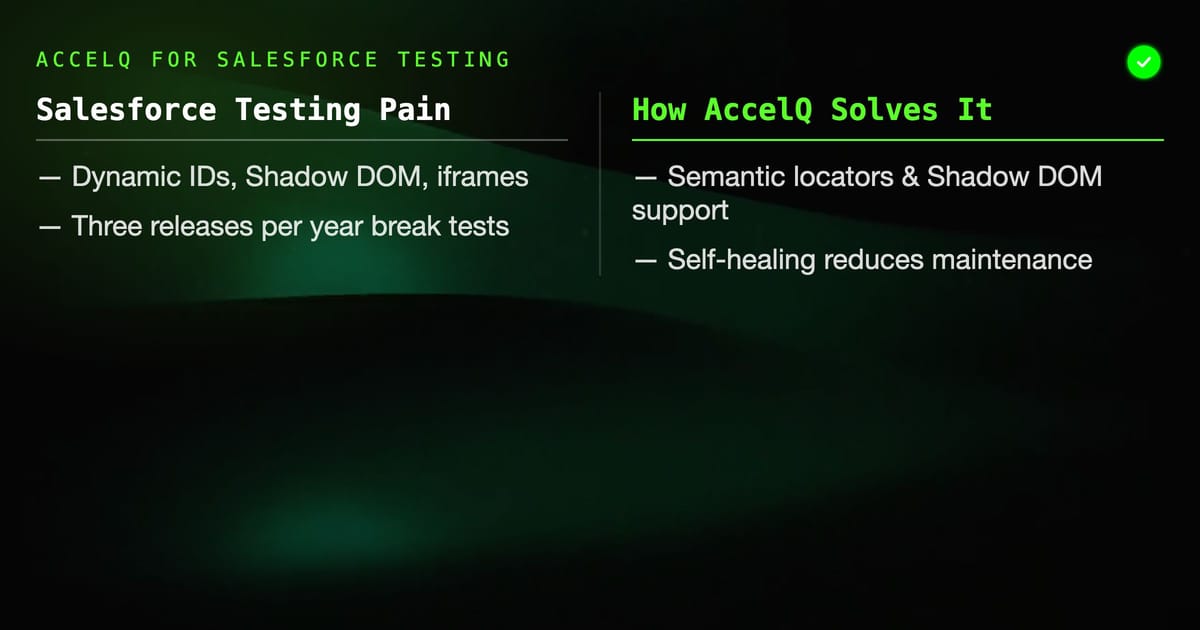
Salesforce testing is genuinely hard. The platform changes constantly — three major releases per year, Lightning components that render differently across orgs, dynamic IDs that make CSS selectors useless, Shadow DOM in LWC that breaks standard locator strategies. Generic test automation tools struggle. AccelQ has built specific Salesforce support that addresses most of these pain points directly.
Why Salesforce Is Difficult to Automate
Before getting into AccelQ specifics, it's worth understanding why Salesforce testing breaks standard automation:
Dynamic element IDs. Salesforce generates IDs like 00D3X000002YwNUUA0 or j_id0:j_id4:j_id7:outputText that change between sessions, orgs, and sometimes page loads. XPath and ID-based locators fail constantly.
Shadow DOM in Lightning Web Components. LWC uses Shadow DOM for encapsulation. Standard CSS selectors cannot pierce Shadow DOM boundaries. A selector that works on the outer page can't reach elements inside a LWC component. Selenium's standard findElement fails entirely on Shadow DOM content without custom JavaScript execution.
iframes. Salesforce Classic and Visualforce pages use iframes extensively. Automation tools must switch context to interact with content inside frames, and the frame structure can change between releases.
Seasonal updates. Salesforce Spring, Summer, and Winter releases can change UI structure, update component versions, and modify the DOM in ways that break tests. With three releases per year, a test suite without self-healing requires significant maintenance after every release cycle.
Permission complexity. What a user sees in Salesforce depends on profile permissions, field-level security, record types, and org configuration. Tests that pass in a developer org can fail in a UAT org with different permissions.
AccelQ's Salesforce-Specific Capabilities
AccelQ has a Salesforce connector built into the platform, not bolted on as an afterthought. Key capabilities:
Salesforce-aware element identification. AccelQ uses semantic locators that work with Salesforce's component model rather than relying on generated IDs. It understands that a field labeled "Account Name" is the same field even when its underlying DOM ID changes.
Shadow DOM support. AccelQ's execution engine can traverse Shadow DOM boundaries in LWC components without custom JavaScript. You interact with the component as a user would — AccelQ handles the technical complexity of finding the element inside the Shadow DOM tree.
Lightning vs Classic handling. AccelQ detects whether the org is running Lightning Experience or Classic and adjusts selectors accordingly. A test written for Lightning won't break if someone switches to Classic view, and vice versa.
iframe context switching. Visualforce page interactions and Classic UI frames are handled automatically. AccelQ manages context switching behind the scenes.
Setting Up Salesforce Testing in AccelQ
Connect your Salesforce org:
- In AccelQ workspace settings, add a Salesforce connection
- Enter your org URL (sandbox or production)
- Authenticate via OAuth — AccelQ requests the necessary permissions
- AccelQ discovers the org metadata: objects, fields, page layouts, profiles
The metadata discovery is significant. Once AccelQ knows your org's schema, it can validate that your test references real fields and objects rather than typos.
Configure test environments: Create separate environments for your Salesforce orgs: Developer, Sandbox, UAT, Production. Each environment stores:
- Org URL
- Test user credentials
- Object IDs that differ between orgs (e.g., record type IDs that vary per org)
Never hardcode Salesforce record IDs in tests. IDs differ between sandbox and production. Always use environment variables or dynamic lookup.
Testing Salesforce Standard Objects
Lead creation flow example:
Step 1: Navigate to Leads
- AccelQ action: "Click New button on Leads list view"
- No locator needed — AccelQ finds "New" in the Leads context
Step 2: Fill required fields
- "Enter 'John Smith' in First Name field"
- "Enter 'Acme Corp' in Company field"
- "Select 'Web' from Lead Source dropdown"
Step 3: Save
- "Click Save button"
Step 4: Verify
- "Verify Lead Name displays 'John Smith'"
- "Verify Status equals 'Open - Not Contacted'"
AccelQ maps these natural language steps to the actual Salesforce UI elements. When Salesforce updates the Lightning component for the Lead edit form, AccelQ's self-healing updates the mappings without requiring test changes.
Testing Lightning Web Components
LWC testing is where AccelQ's Salesforce support earns its keep. Testing custom LWC components requires:
- Add the LWC component's API page URL or navigate to it via a record
- Interact with inputs inside the component using field labels, not DOM IDs
- Assert on output values using field labels or visible text
Example for a custom approval component embedded on an Opportunity:
- "Click the 'Submit for Approval' button in the Approval History component"
- "Verify status changes to 'Pending Approval'"
- "Verify the approver email field displays 'manager@company.com'"
AccelQ handles the Shadow DOM traversal to find elements inside the LWC. You describe what you want; AccelQ finds it.
Apex Code Testing Considerations
AccelQ tests the Salesforce UI and API. It does not directly test Apex classes — that's what Apex unit tests (written in Apex) and Salesforce's built-in test framework are for.
However, AccelQ can validate the outcomes of Apex code through the UI and API:
Trigger validation: Write a test that creates a record (via UI or API), then queries the record's state to verify that a trigger ran correctly. If an Apex trigger sets Account.Tier__c = 'Gold' when ARR exceeds $100,000, create an opportunity with that ARR and assert the account tier field updated.
Batch job outcomes: Trigger a batch via UI, wait for completion (AccelQ has wait conditions), then verify the expected records were created or updated.
Visualforce pages: AccelQ handles iframe context for Visualforce pages. Test custom Visualforce pages the same way you'd test a standard web form.
Handling Org-Specific Differences
Salesforce orgs are rarely identical. A sandbox might have different record types, different required fields enabled, or different validation rules than production. Strategies that work in AccelQ:
Parameterize record type IDs. Store record type IDs in environment variables. They differ between orgs.
Use test-specific profiles. Create a dedicated Salesforce profile for automation testing with predictable permissions. Tests that rely on admin access will fail for regular users — know which profile your tests run under.
Handle validation rules. If a validation rule requires a field that your test doesn't populate, the test fails. Either populate the field or disable the validation rule in your sandbox test environment. Document which rules are disabled; when rules get re-enabled, you'll know which tests to revisit.
Seasonal release strategy. Before each Salesforce seasonal release, run your full regression suite against a preview sandbox. AccelQ's self-healing will catch many element changes, but major UI redesigns still require test review. Block a day after each seasonal release for test maintenance.
AccelQ Salesforce vs Provar
The primary alternative for Salesforce-specific test automation is Provar. The comparison:
Provar is also Salesforce-aware, uses Eclipse as its IDE, and has deep metadata integration. It requires more setup and has a steeper learning curve but offers more fine-grained control over Salesforce-specific behaviors.
AccelQ is easier to start with, has a better UI for non-technical testers, and the self-healing reduces maintenance overhead. Salesforce coverage is broad but not as deep as Provar in some edge cases (particularly complex Apex-heavy customizations).
For teams where QA testers rather than automation engineers are running tests, AccelQ's lower technical barrier is the deciding factor. For teams with dedicated Salesforce automation engineers who need maximum control, Provar's depth may justify the additional complexity.
Real-World Pattern: Full Lead-to-Opportunity Flow
A realistic regression test for a Salesforce Sales team covers:
- Create Lead via API (faster than UI, same assertion value)
- Convert Lead to Contact + Account + Opportunity via UI
- Assert Contact was created with correct fields
- Assert Account was created and linked
- Assert Opportunity has correct stage and close date
- Move Opportunity through stages via UI
- Assert stage history is recorded
- Close as Won, assert revenue reports update
AccelQ handles each step without scripting. The lead conversion step — which involves a multi-step Lightning dialog — is where generic tools typically fail. AccelQ's Salesforce connector navigates this dialog using semantic field identification rather than brittle DOM locators.
Salesforce is one of AccelQ's strongest use cases. If your organization runs significant business operations on Salesforce and needs reliable test coverage that survives seasonal updates, AccelQ is worth evaluating seriously.